Pay out tokens (using a smart contract account)
Last updated: September 29, 2024
This feature is only available to companies with tokens on the Ethereum and EVM-compatible blockchains.
Requirements to pay tokens
To pay tokens to stakeholders, the following criteria must be met:
A token grant was created and published and at least one vest event has passed.
Your company has sufficient funds in your escrow balance.
Your token plans were published on-chain.
Step 1: Confirm your escrow is funded
Using a custodian (e.g., Anchorage Digital, Coinbase Prime)? You can skip this step since your account does not have a smart contract escrow wallet.
Navigate to your Home page.
Check your balance to confirm that you have sufficient tokens in your escrow to pay out tokens. See Add tokens to escrow for assistance in adding tokens to your escrow.
In this case, a banner shows up to inform you that you need to increase your escrow balance.
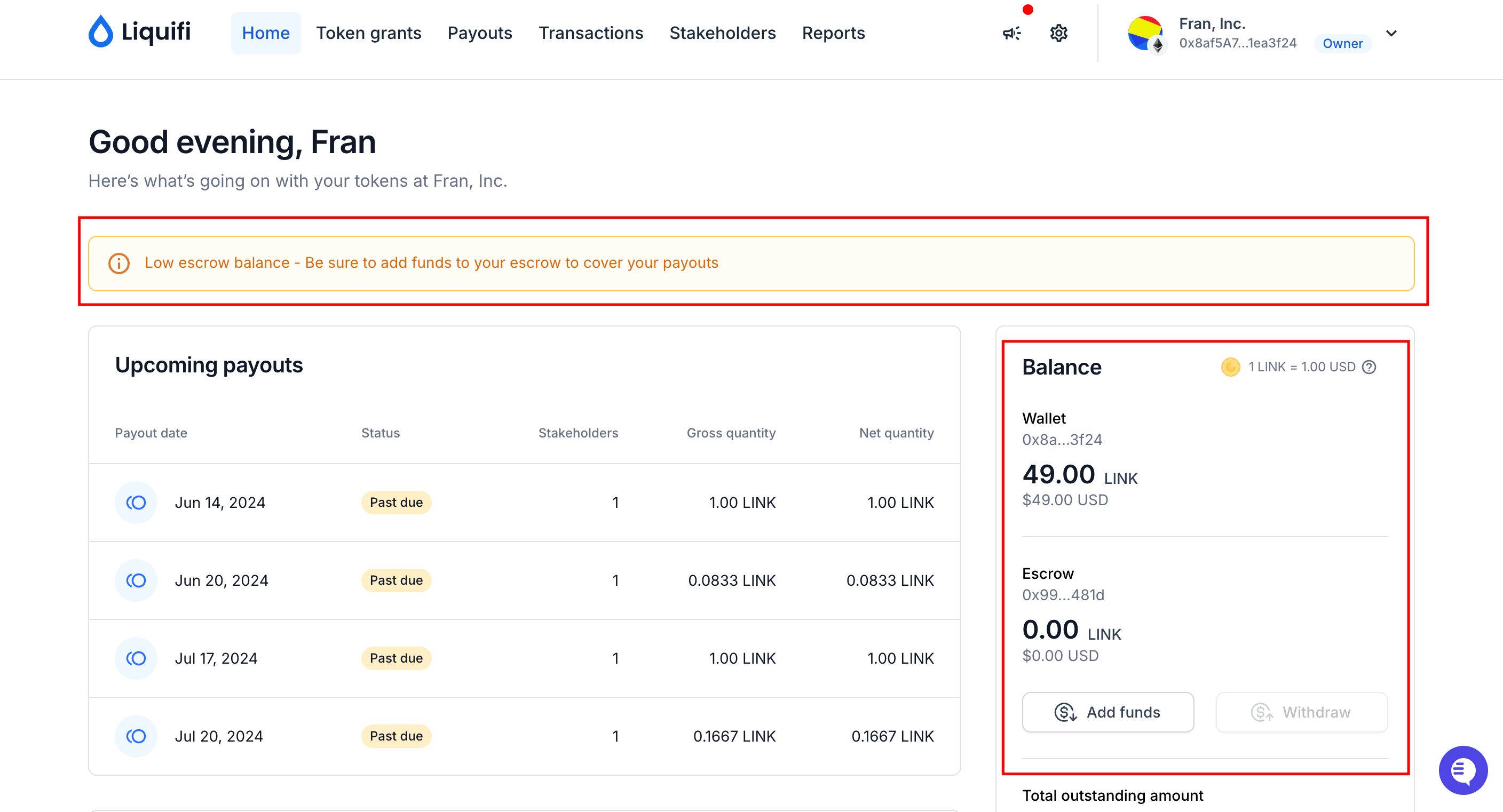
Click
Add Funds.
.png?alt=media&token=b38b9efa-d43d-4edb-a3e6-c24985025e26)
A popup modal will appear with a suggested number of tokens to add based on any past due payouts + the total amount due for your next upcoming payouts.
.png?alt=media&token=f612050f-86d8-4394-a966-210eef64b115)
Step 2: Pay out tokens
Once you have a sufficient number of tokens in your escrow:
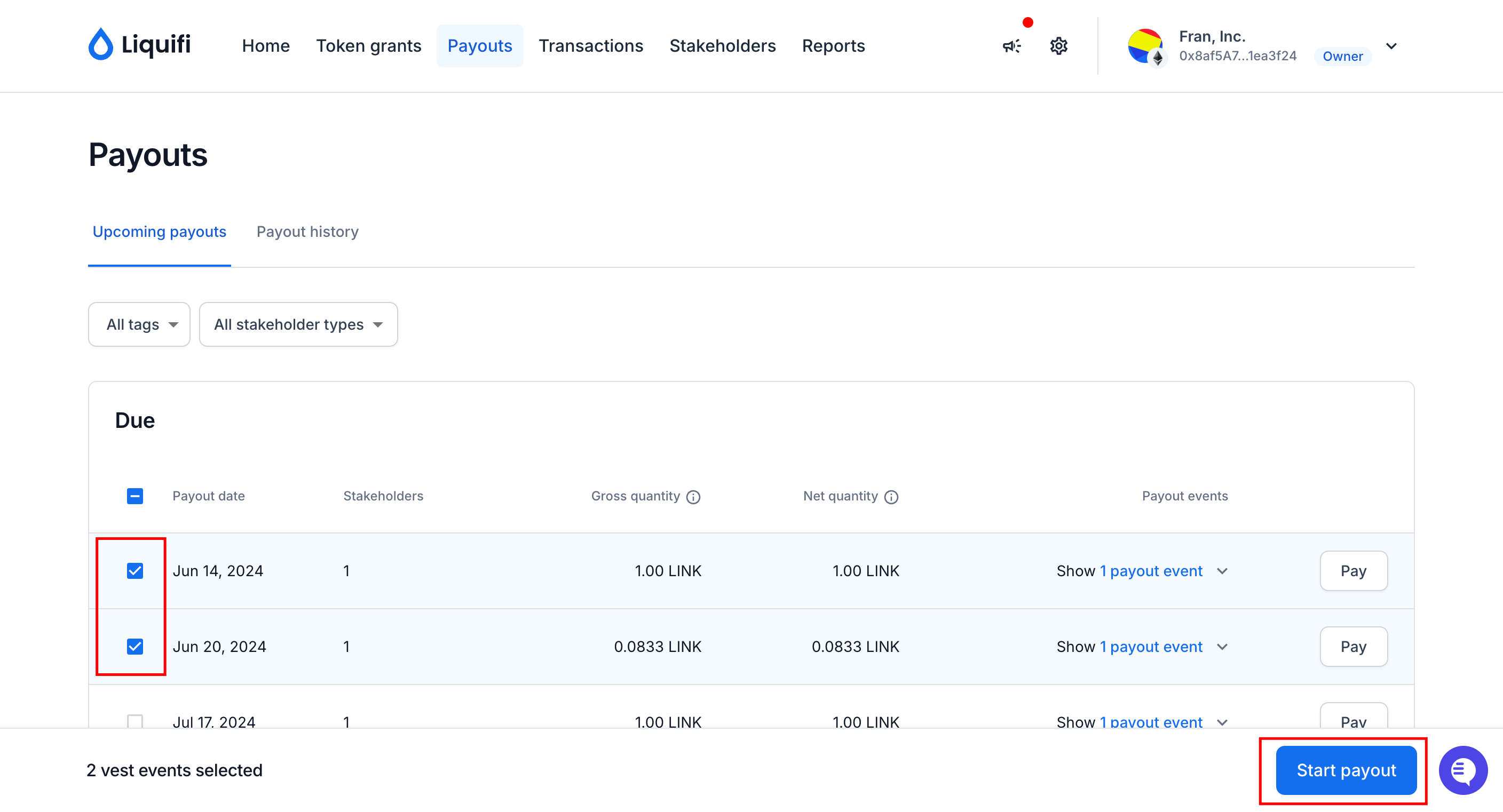
Navigate to your Payouts page.
Check the boxes of the vest events that you want to pay out.
Click
Start payout.
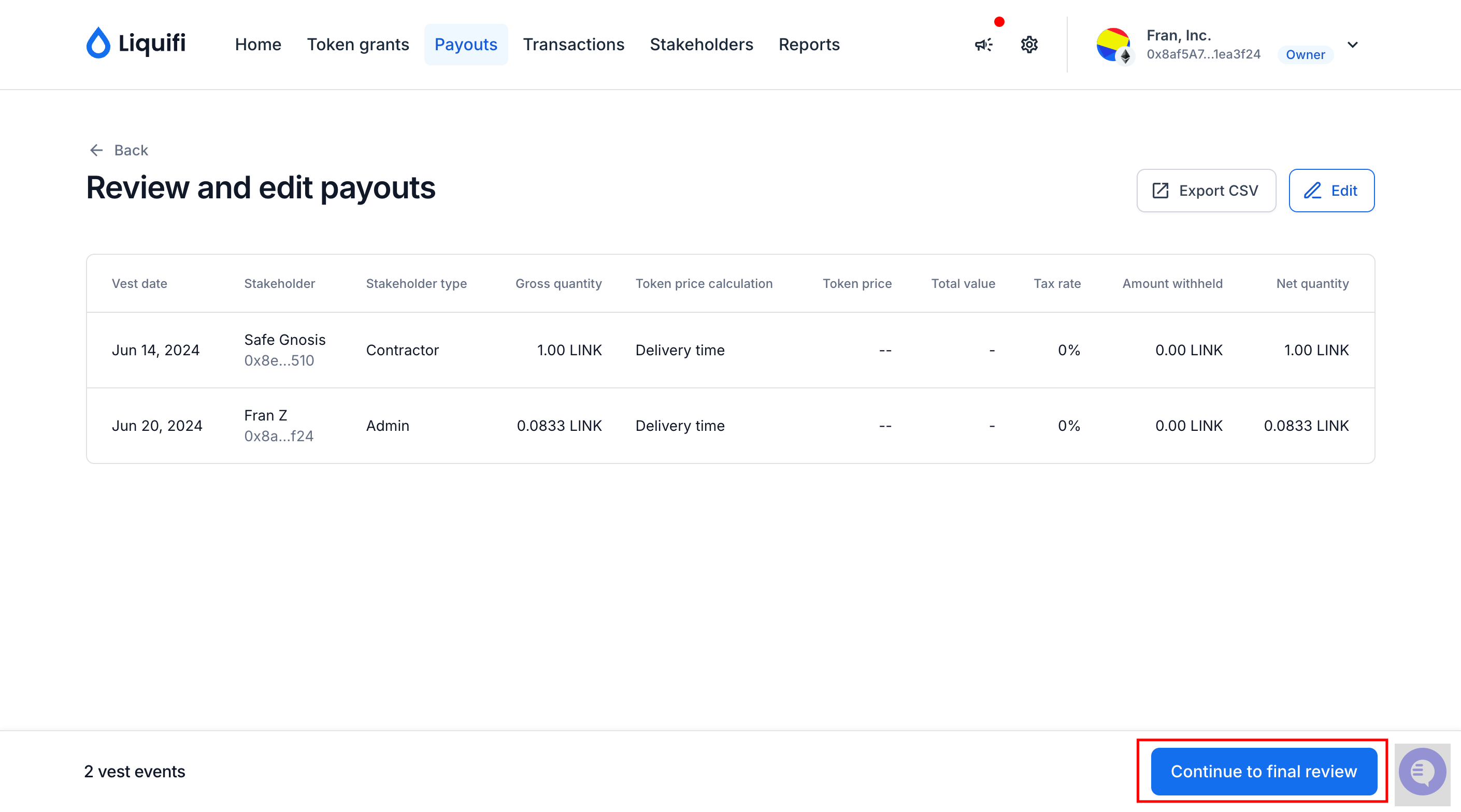
Review and edit your payouts if needed. Once done, click
Continue to final review
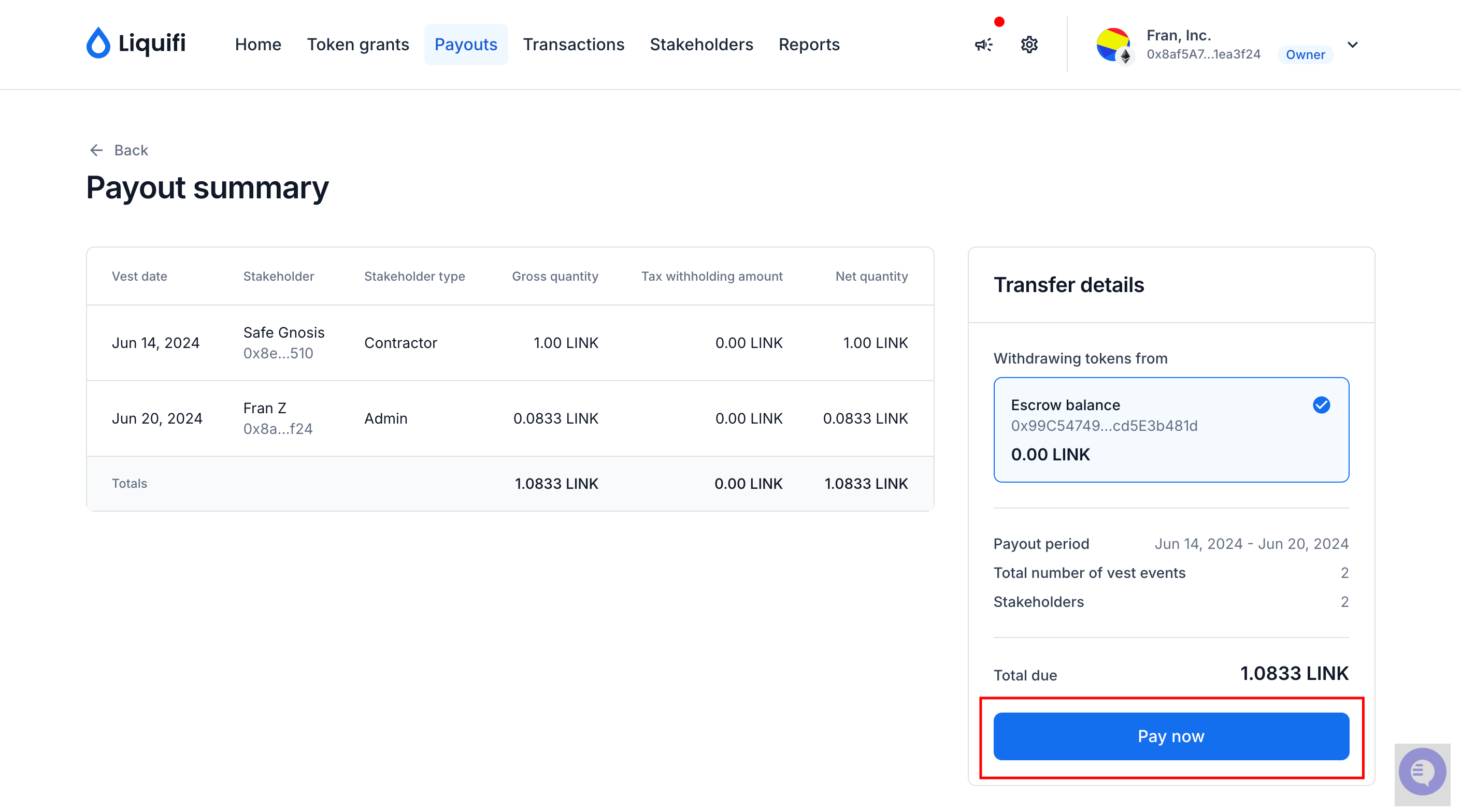
Click
Pay nowto finalize your transaction.
If you need immediate assistance, please contact our support team directly at support@liquifi.finance
If you don't see what you're looking for in our support documentation, you can request a resource to be made by our support team using this form.