Edit a token grant
Last updated: October 17, 2024
In certain circumstances, you might need to make changes to an existing token grant's structure (e.g., total grant amount, vesting day of the month, vesting frequency). You can edit a token grant using the following steps:
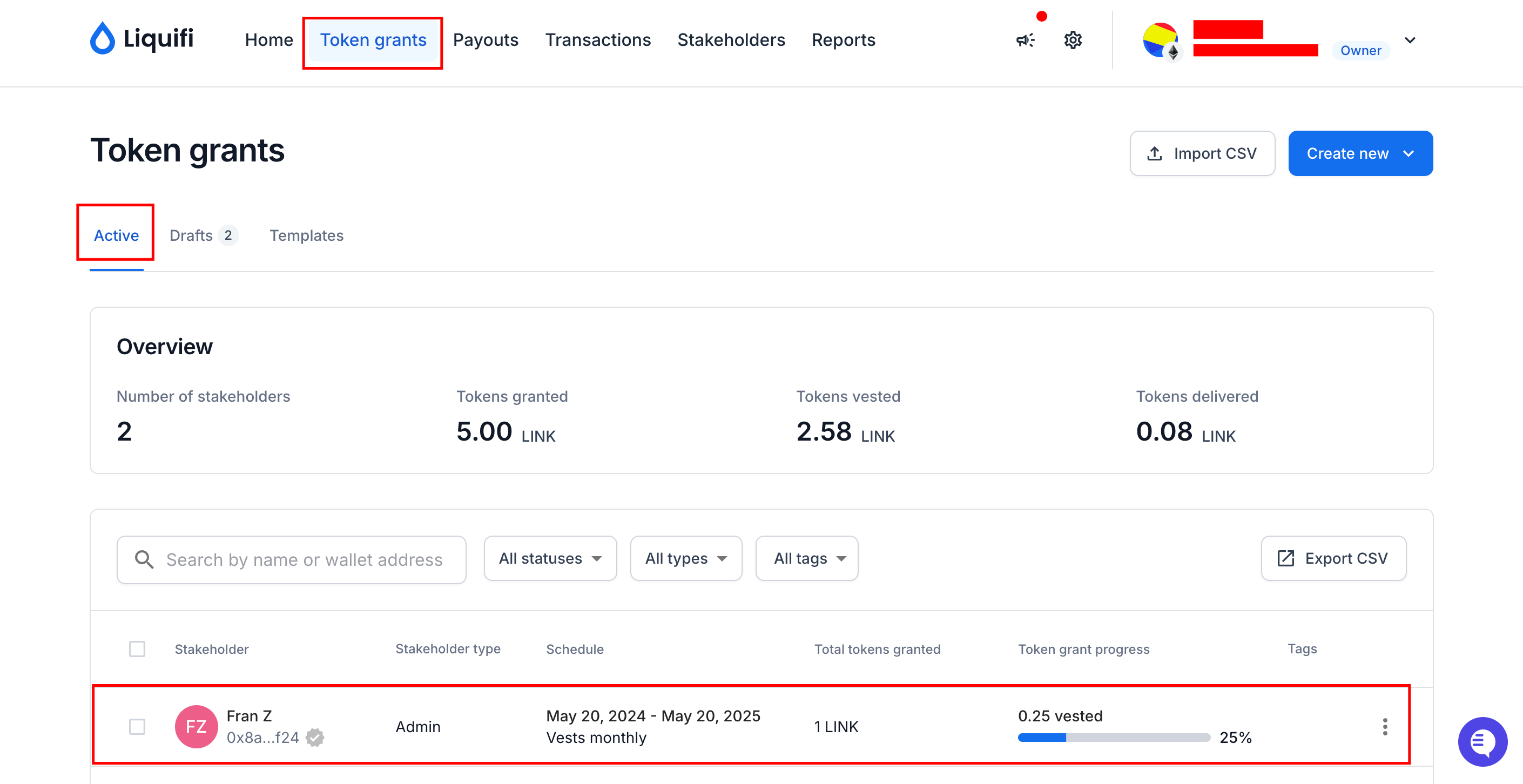
Locate the active token grant
Navigate to your token grant dashboard.
Identify the token grant you want to edit.
Duplicate the grant
Click on the three dots (ellipsis) next to the token grant.
Select
Duplicateto create a copy of the token grant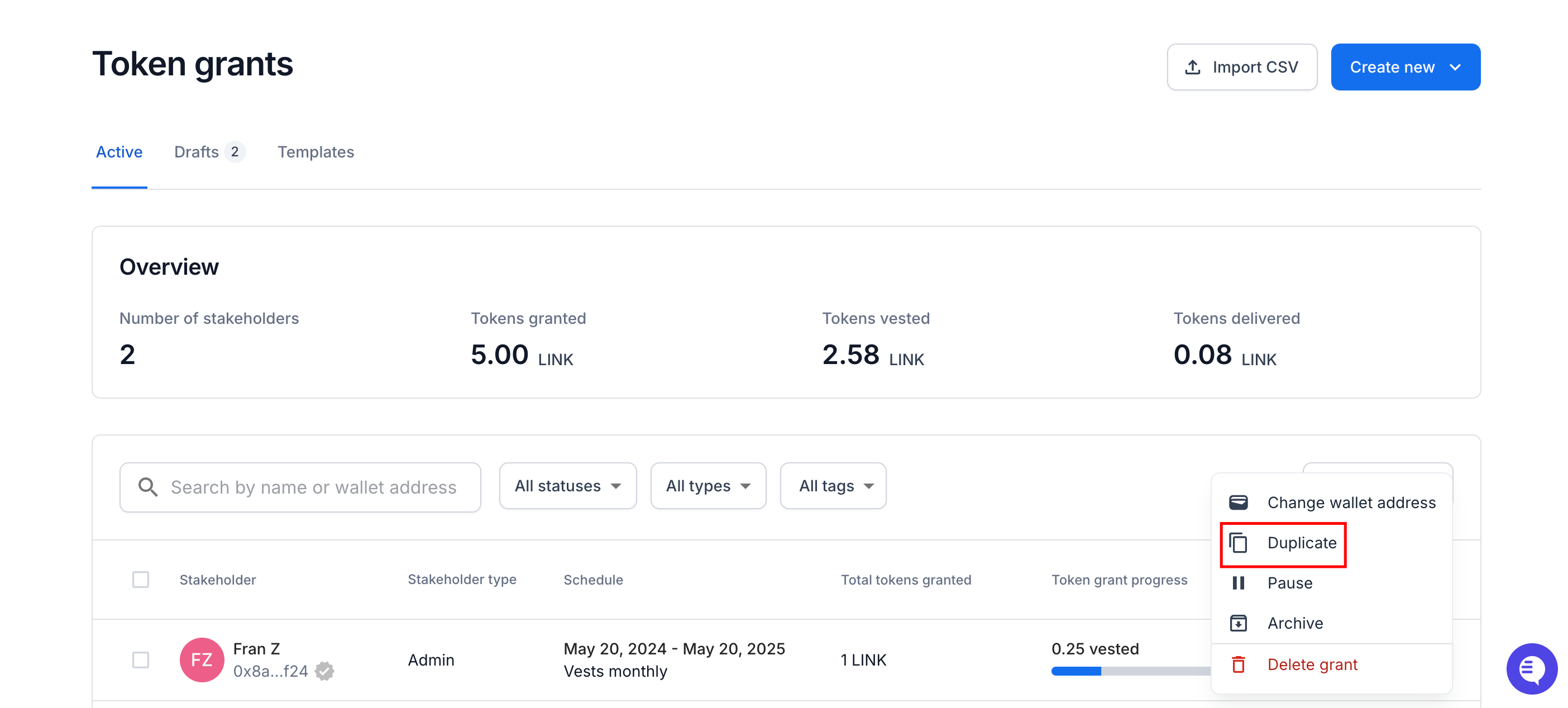
Edit the token grant
The duplicated plan will open in the
Edit Token Grantscreen.Make the necessary changes (e.g., mark tokens as delivered off-platform) and press
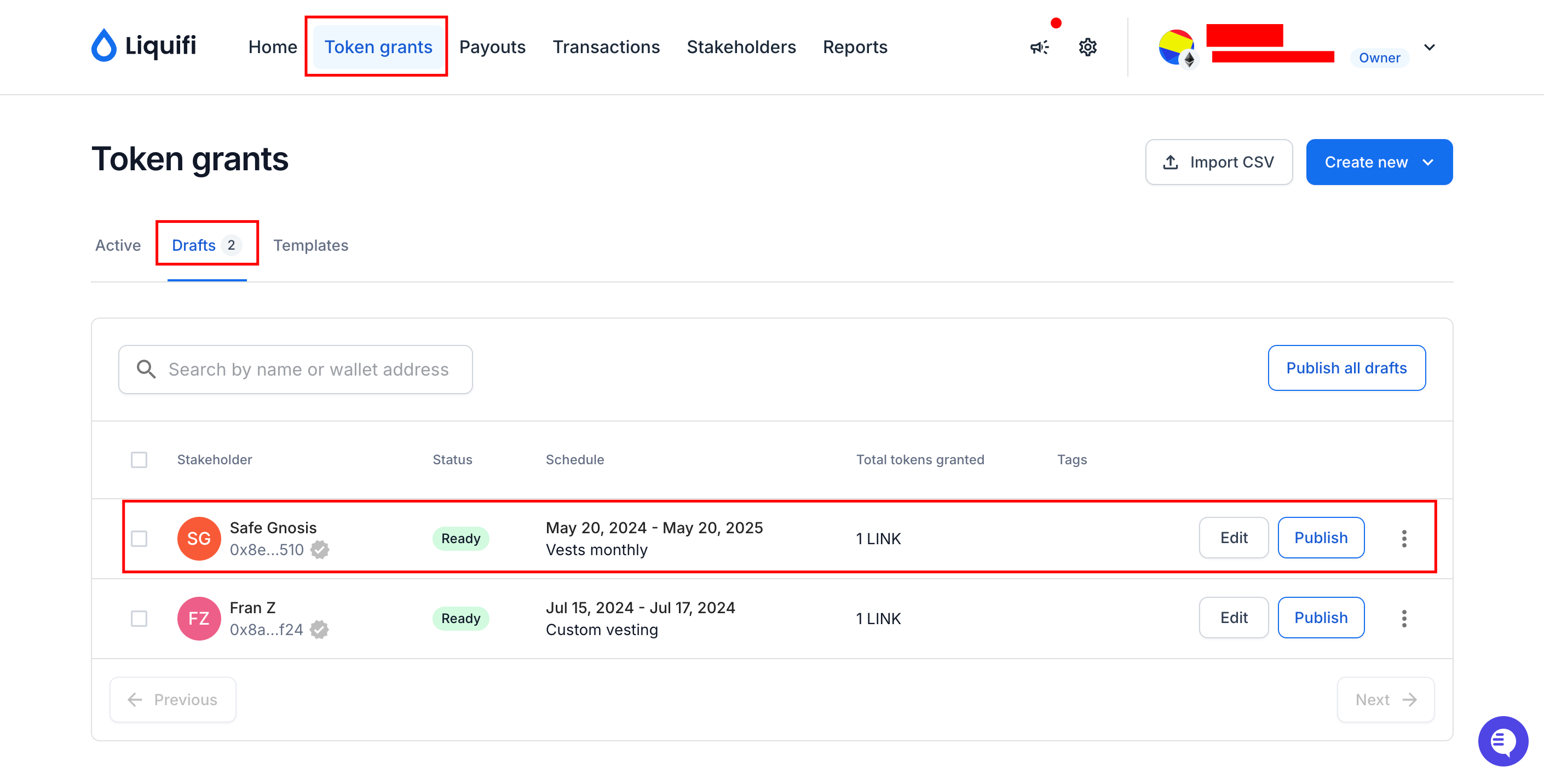
Createto save the changes.The edited plan will now appear in your draft token grants.
Preview the draft grant
Go to the draft token grants section.
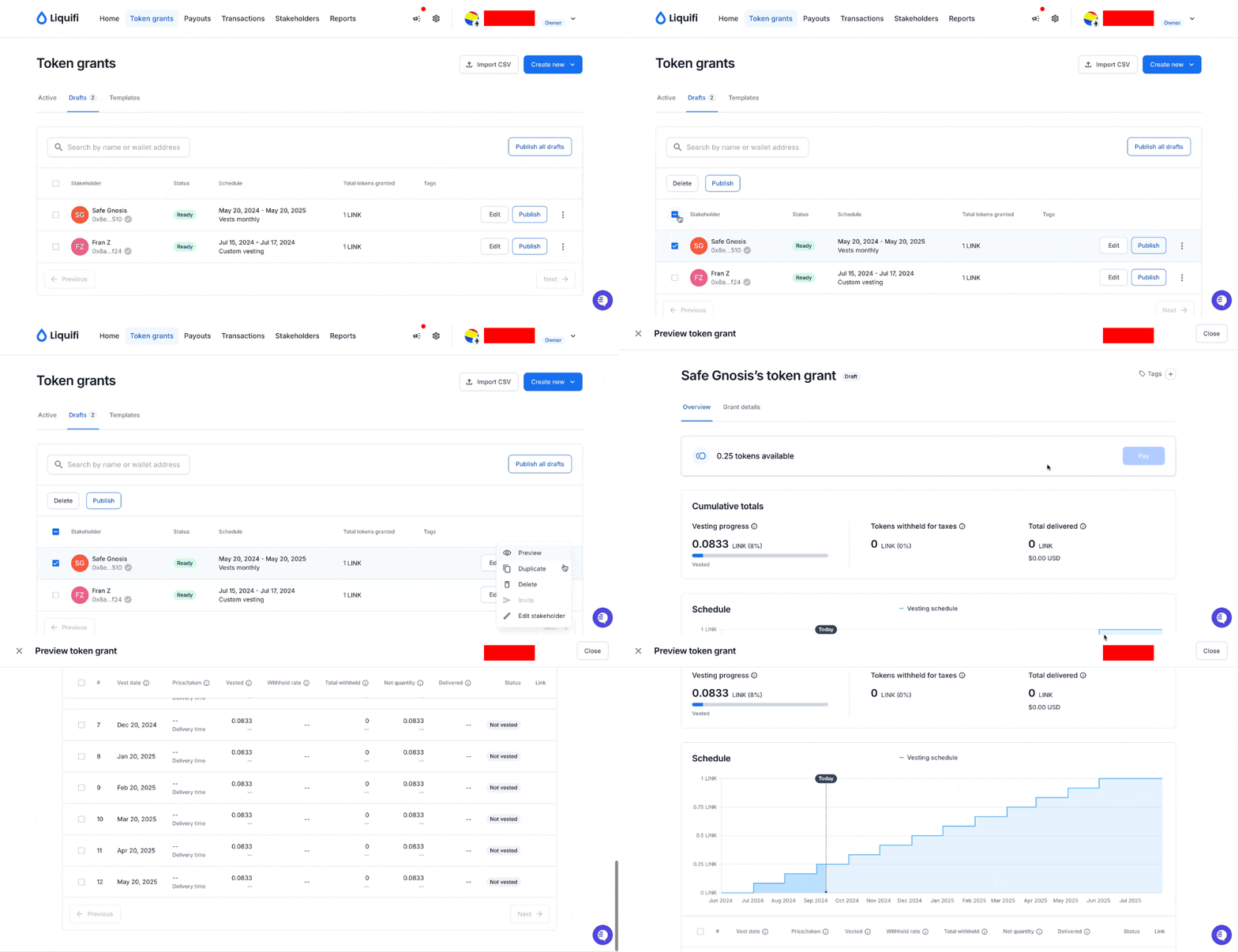
Select the draft grant you just edited and click
Preview.Review the structure and details of the token grant.
Optional: Mark tokens already delivered in the new token grant as delivered off-platform
If you need to mark tokens as delivered off-platform since they've already been delivered, you must do while the grant is a draft.
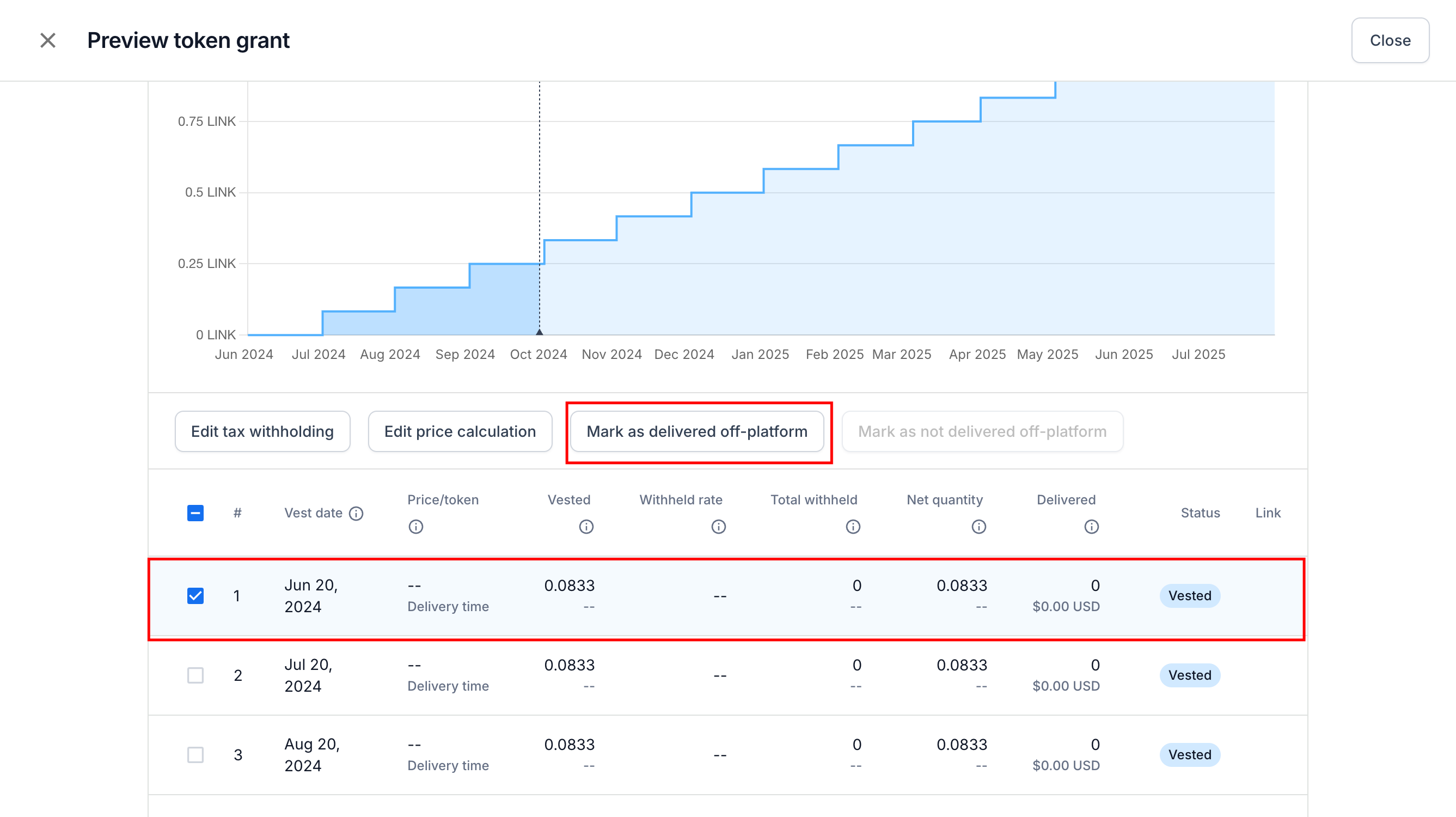
Press
Submitto confirm the changes.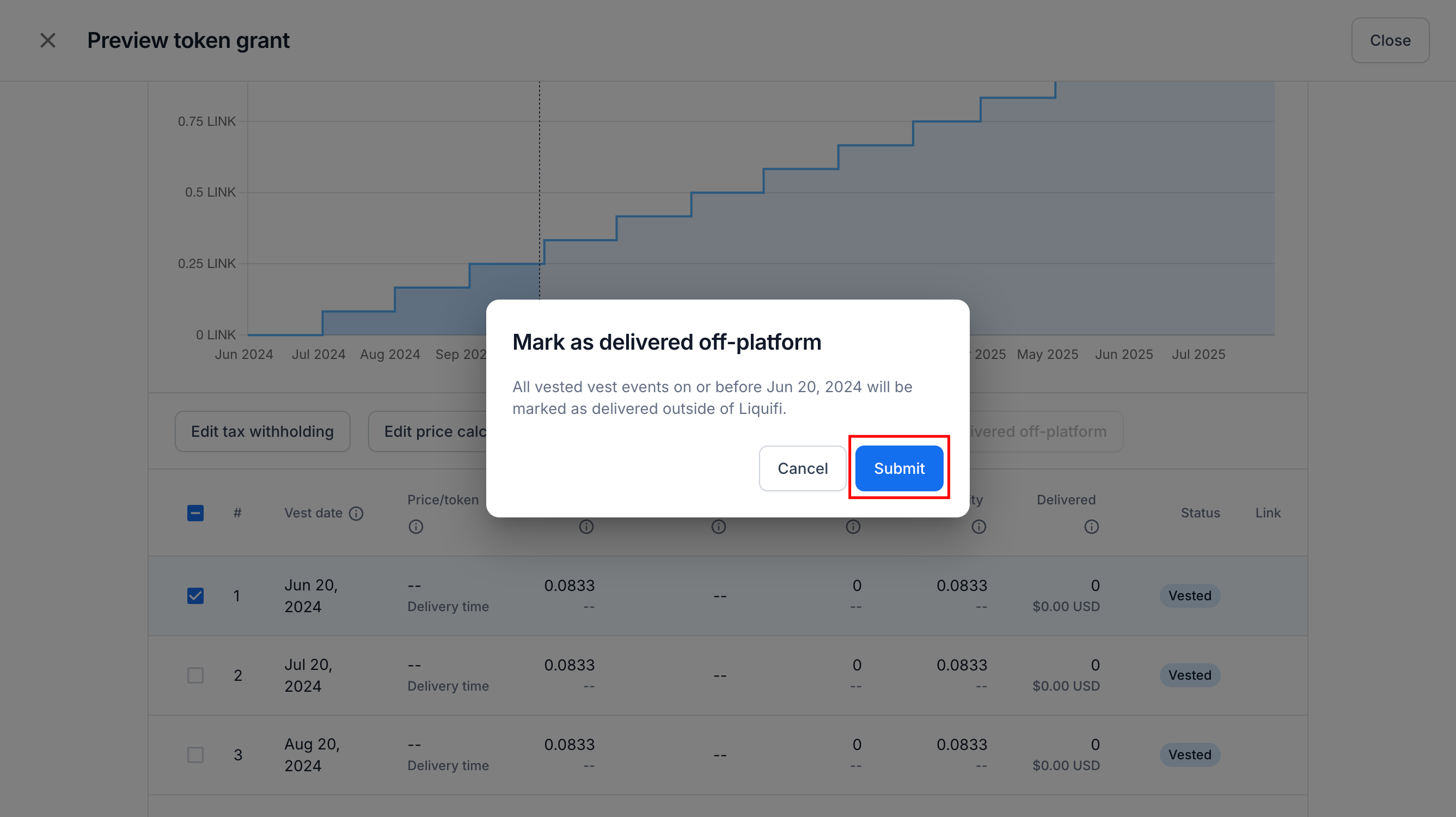
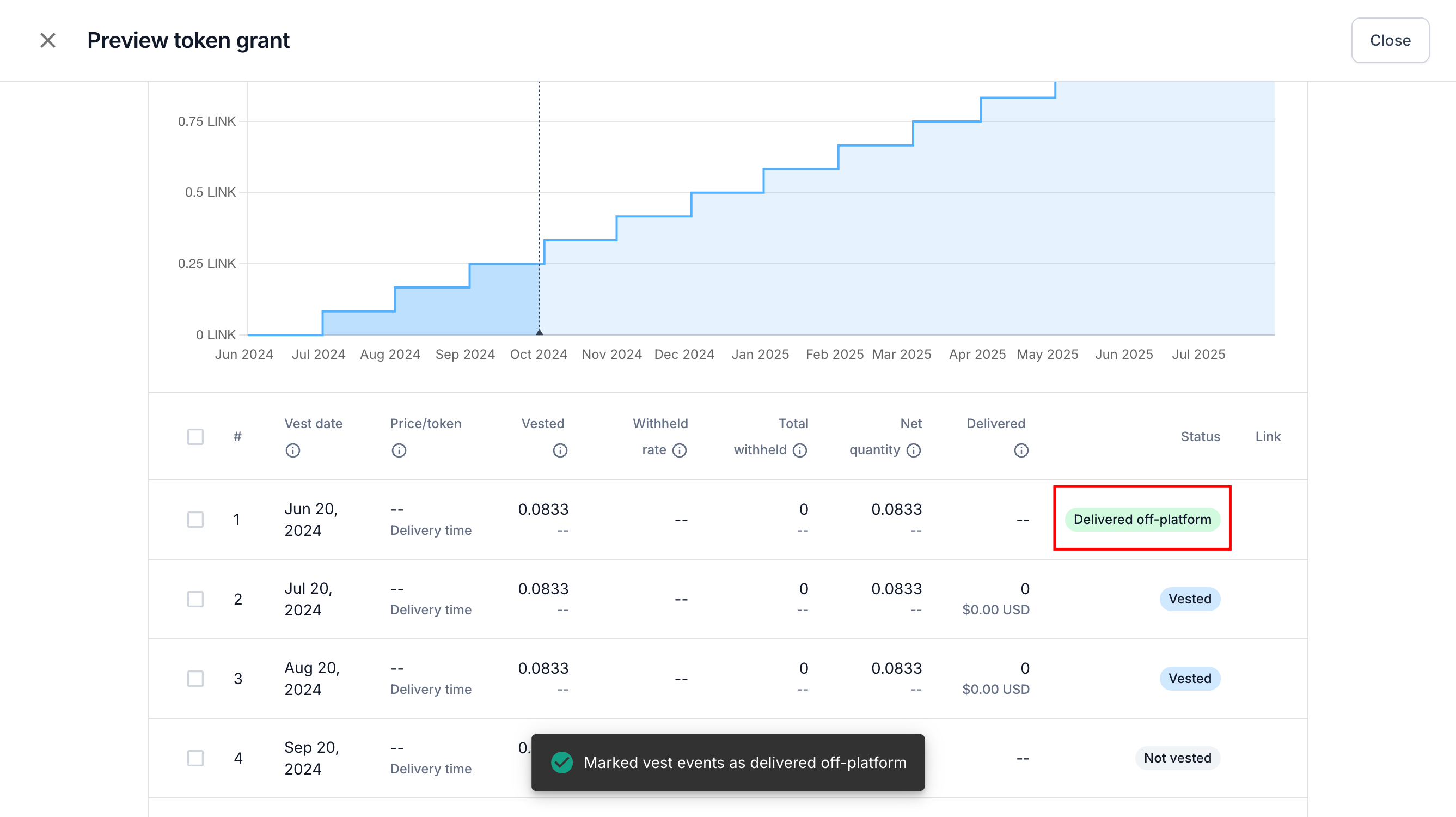
It will then show as Delivered off-platform.
Publish the draft
Close the preview screen and click
Publish Draftto publish the edited token grant
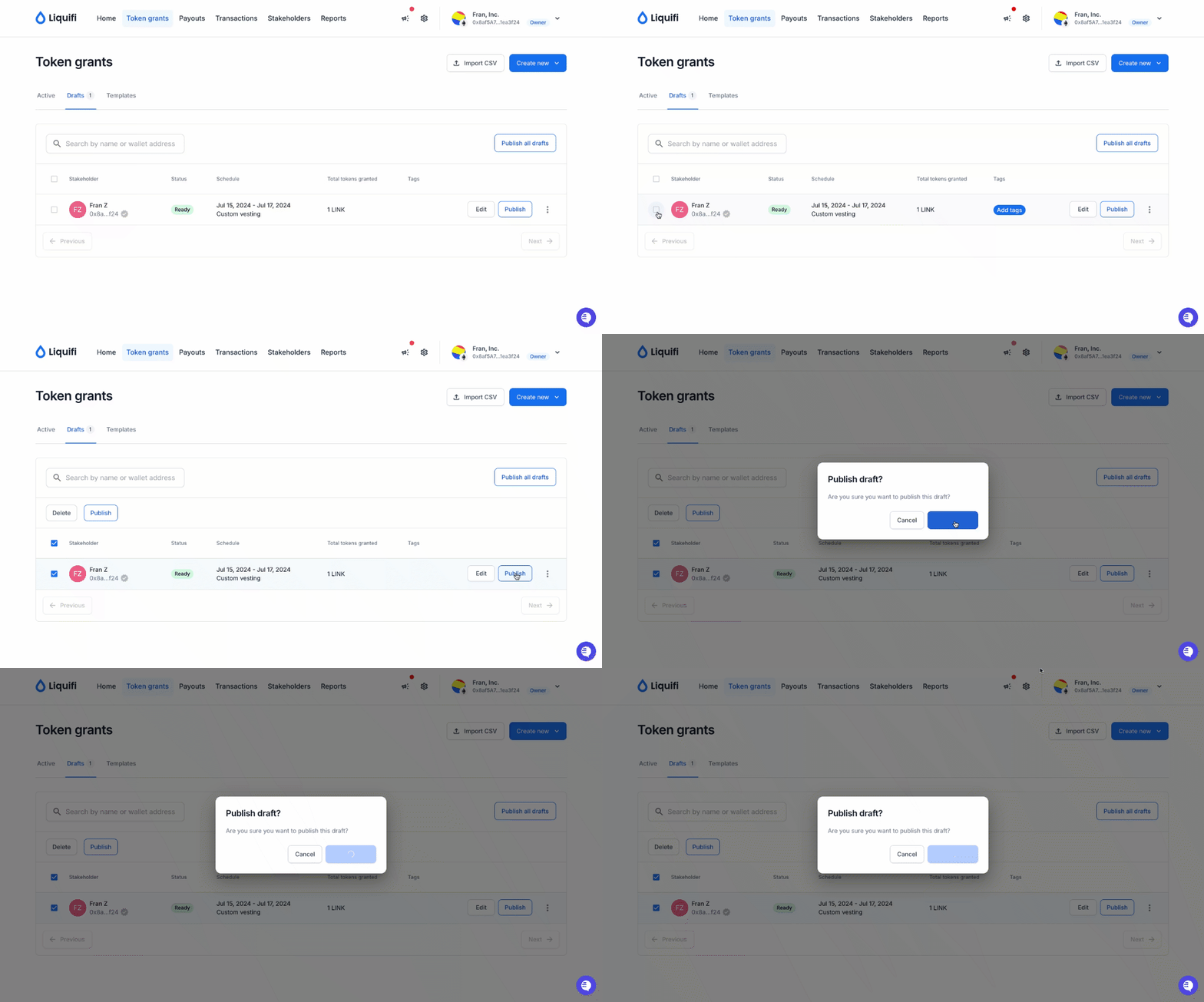
Confirm the transaction when prompted.

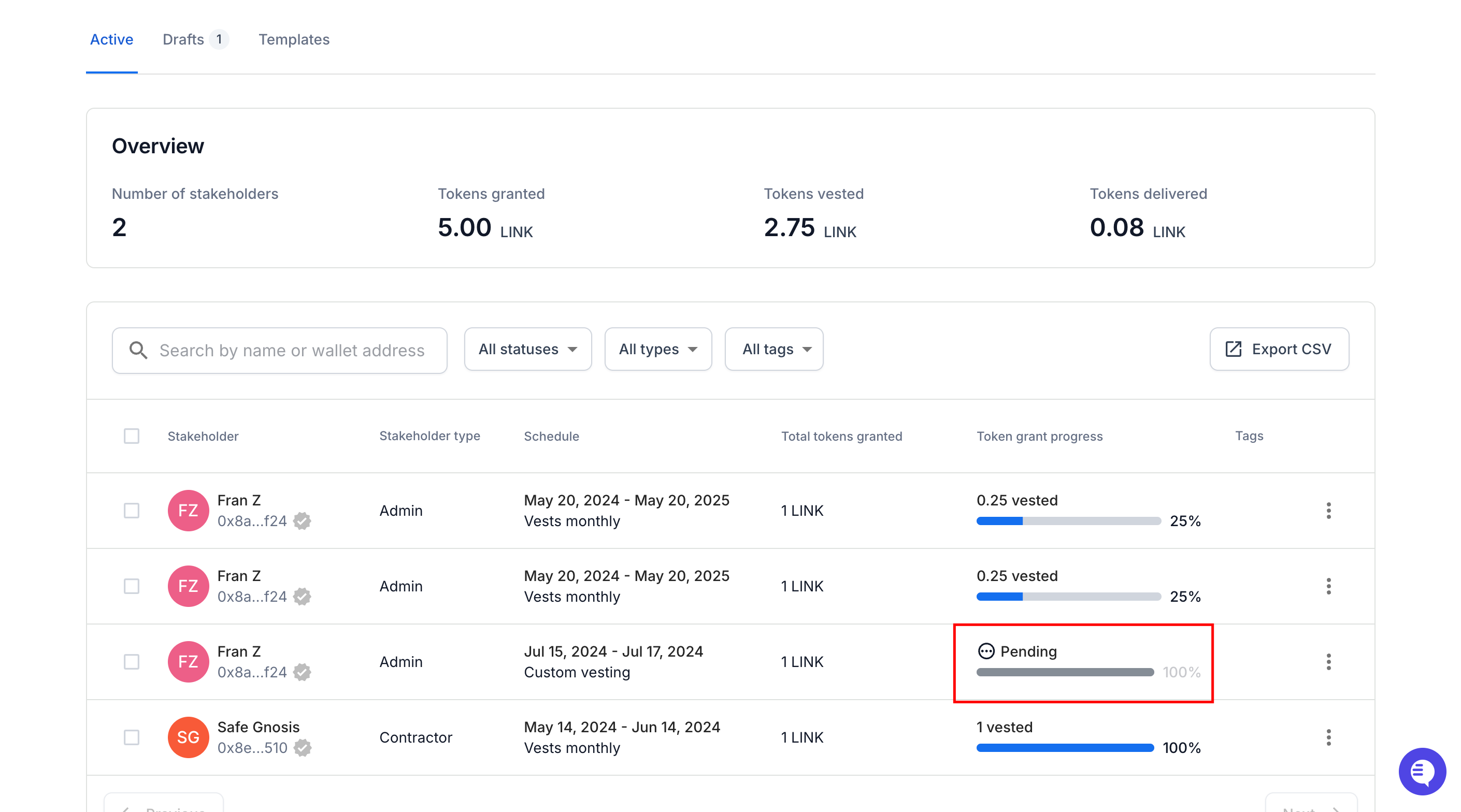
Verify the status
Check that the grant status is now
Pending.
Delete/archive the original grant
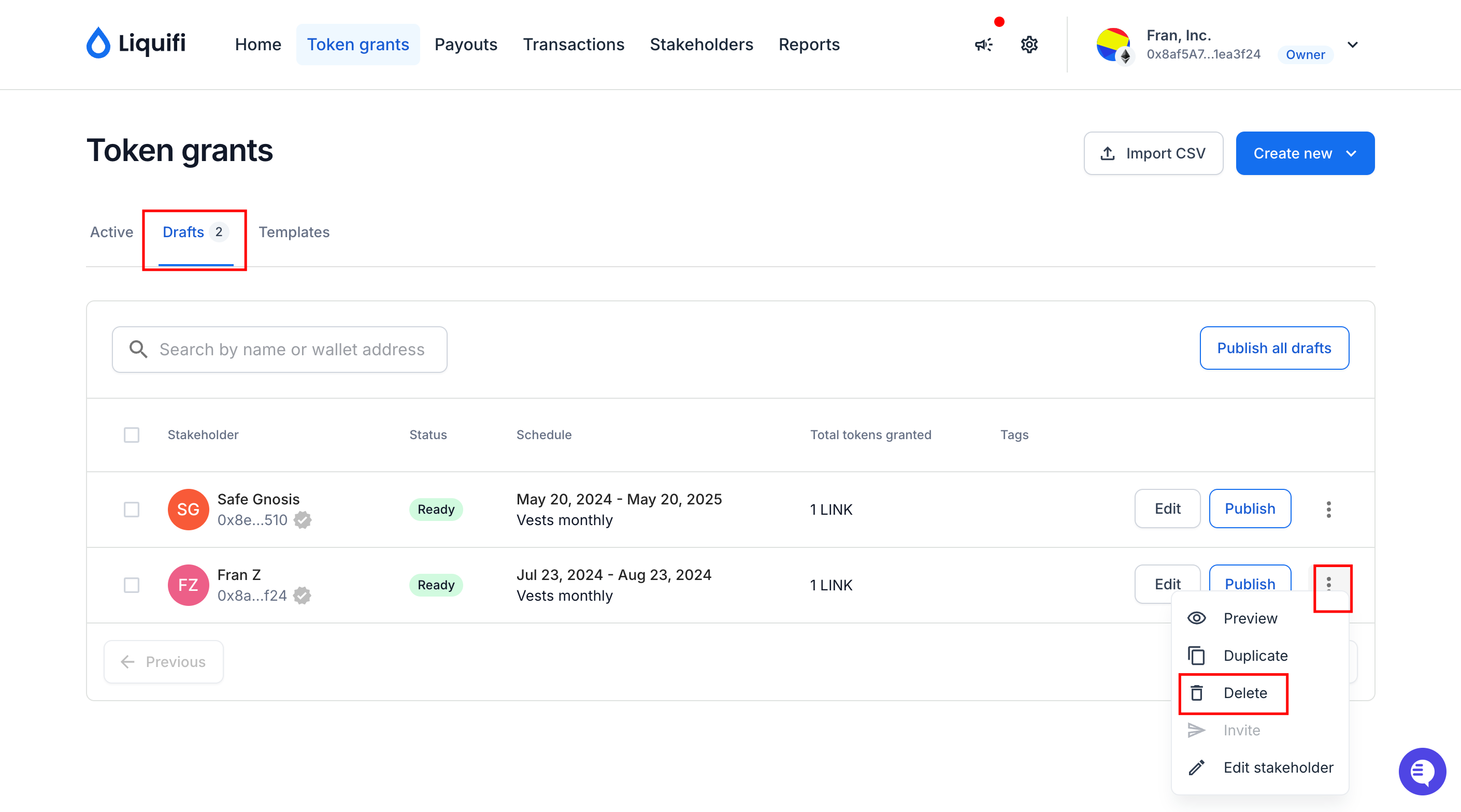
Return to the original token grant that you duplicated.
Click the three dots (ellipsis) next to the original plan and select
ArchiveorDeleteto move the original plan to an inactive state. See here for more information on archiving a token grant.
If you need immediate assistance, please contact our support team directly at support@liquifi.finance
If you don't see what you're looking for in our support documentation, you can request a resource to be made by our support team using this form.