Archive a token grant
Last updated: September 26, 2024
At any point, you may need to archive a token grant as your stakeholders' circumstances change (e.g. termination of employee, milestones not met or a change in employee position). Here are the steps to archive a grant:
Once you archive a token grant:
- Vest events that occur before the archive date (and don't have a lockup) can be paid out or claimed.
- Vest events that occur after the archive date cannot be paid out or claimed.
- Vest events that occur before the archive date but unlock after will still be available to pay out or claim when they unlock.
Navigate to the
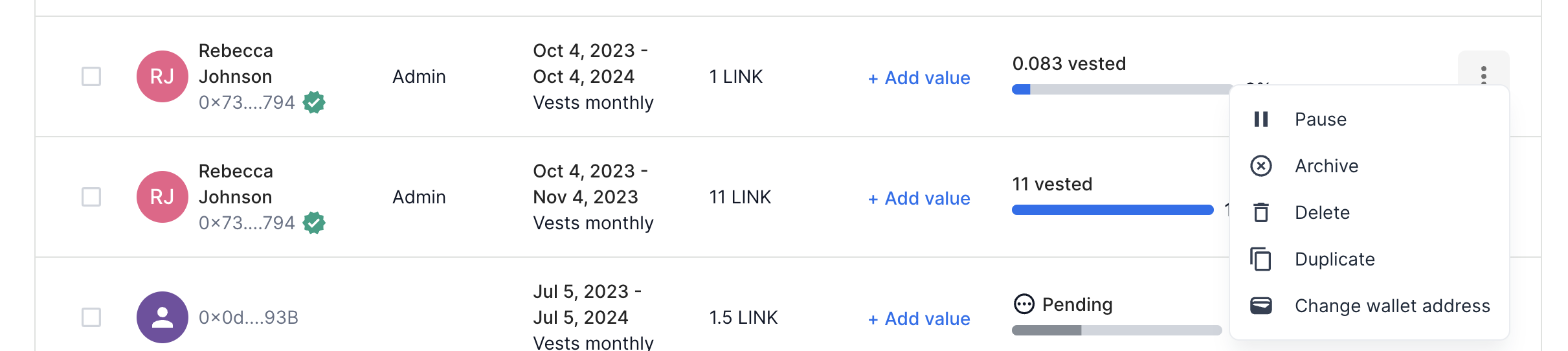
Token grantspage.Find the token grant you'd like to archive, and click the
...button for that token grant.
Bulk Archive: If you need to archive multiple token grants, you can select multiple token grants and perform a bulk archive from the dropdown menu at the top. Here's a quick video tutorial on how to do this.
Click
ArchiveSet an archive date and the reason for archiving
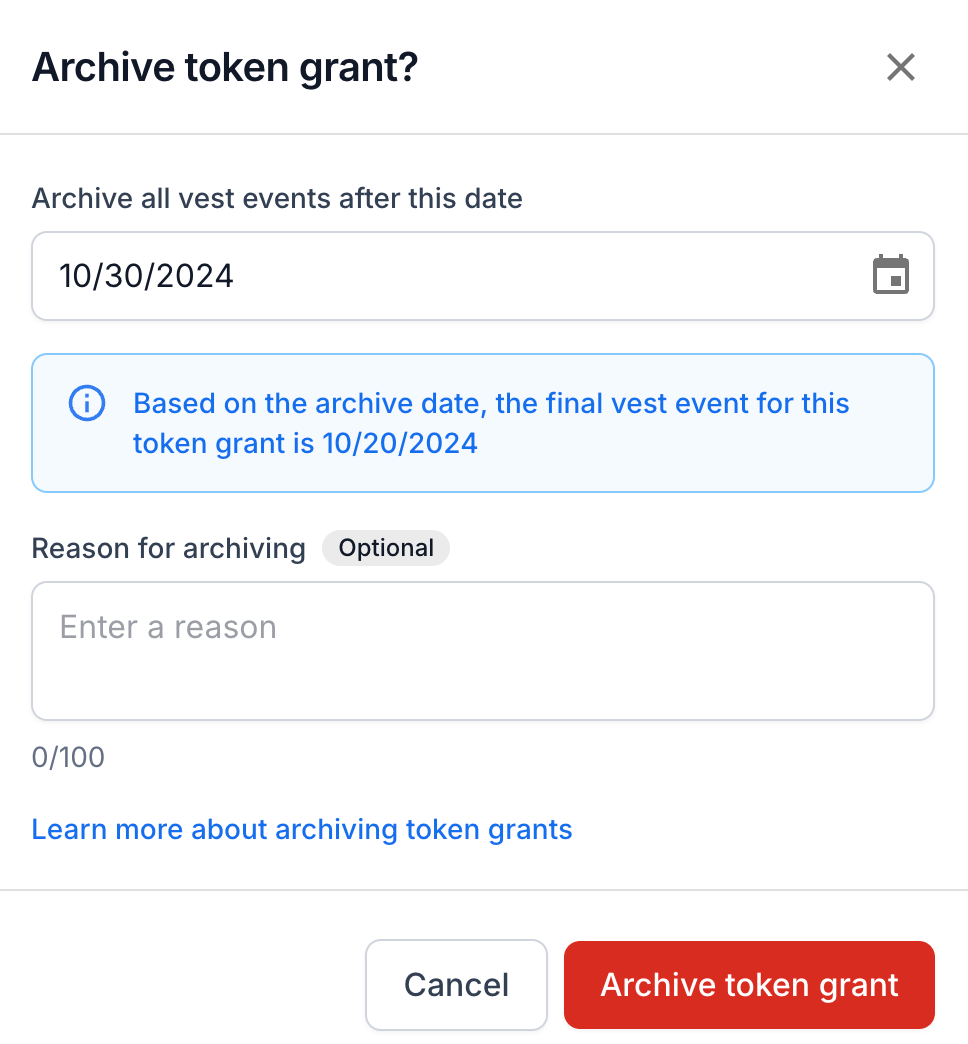
Click
Archive token grantFollow the prompts in your connected wallet to execute the transaction on-chain.
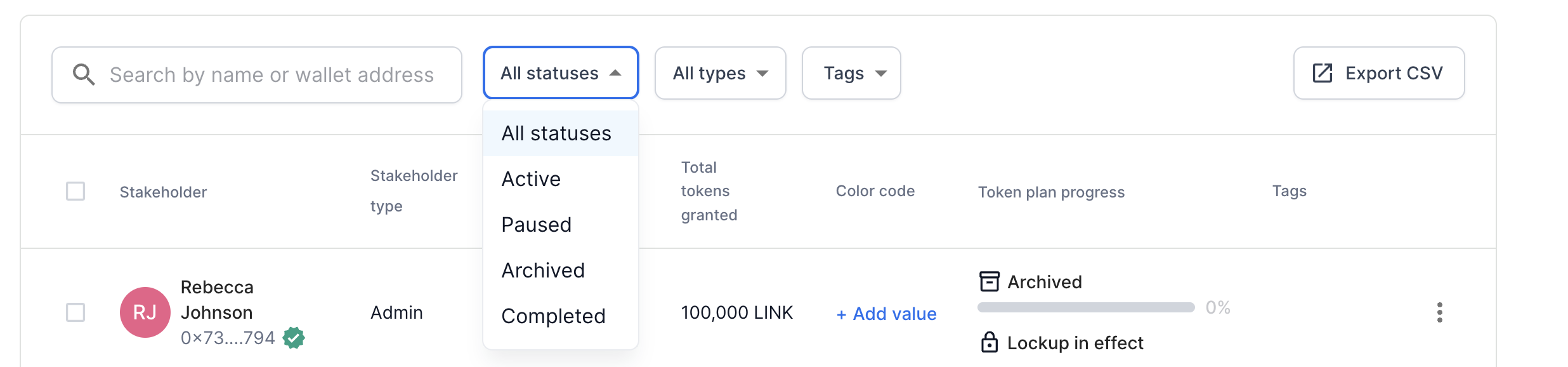
You can view archived grants by clicking All statuses above the table, then click "Archived" to filter the table by archived grants.
What happens to my token grants when it is archived?
Archiving a grant means freezing the grant and preventing further progression of the vesting or unlocking on a given date. For example, if a stakeholder's next vest event is January 1, 2023, archiving a grant anytime before this date means that they will not be able to claim this amount.
Any vested amounts or unlocked amounts remain claimable by the user - only future events remain locked.
When should I archive a grant?
If an employee is terminated, you can archive a grant to prevent any further vesting from occurring.
If you made a mistake when you originally created a token grant, you can alternatively delete the grant and create a new corrected token grant.
Please note that "archiving" a grant means that any vested or unlocked tokens prior to the Archive date are still claimable by the user if you have claiming enabled.
What happens if I set a future archive date?
Setting an archive date in the future allows you to predefine a future archive date at which point vesting will stop for a token grant. Any tokens vested up until that date will remain available to claim. If the token grant has a lockup schedule, any vested tokens before the archive date will still unlock according to the lockup schedule.
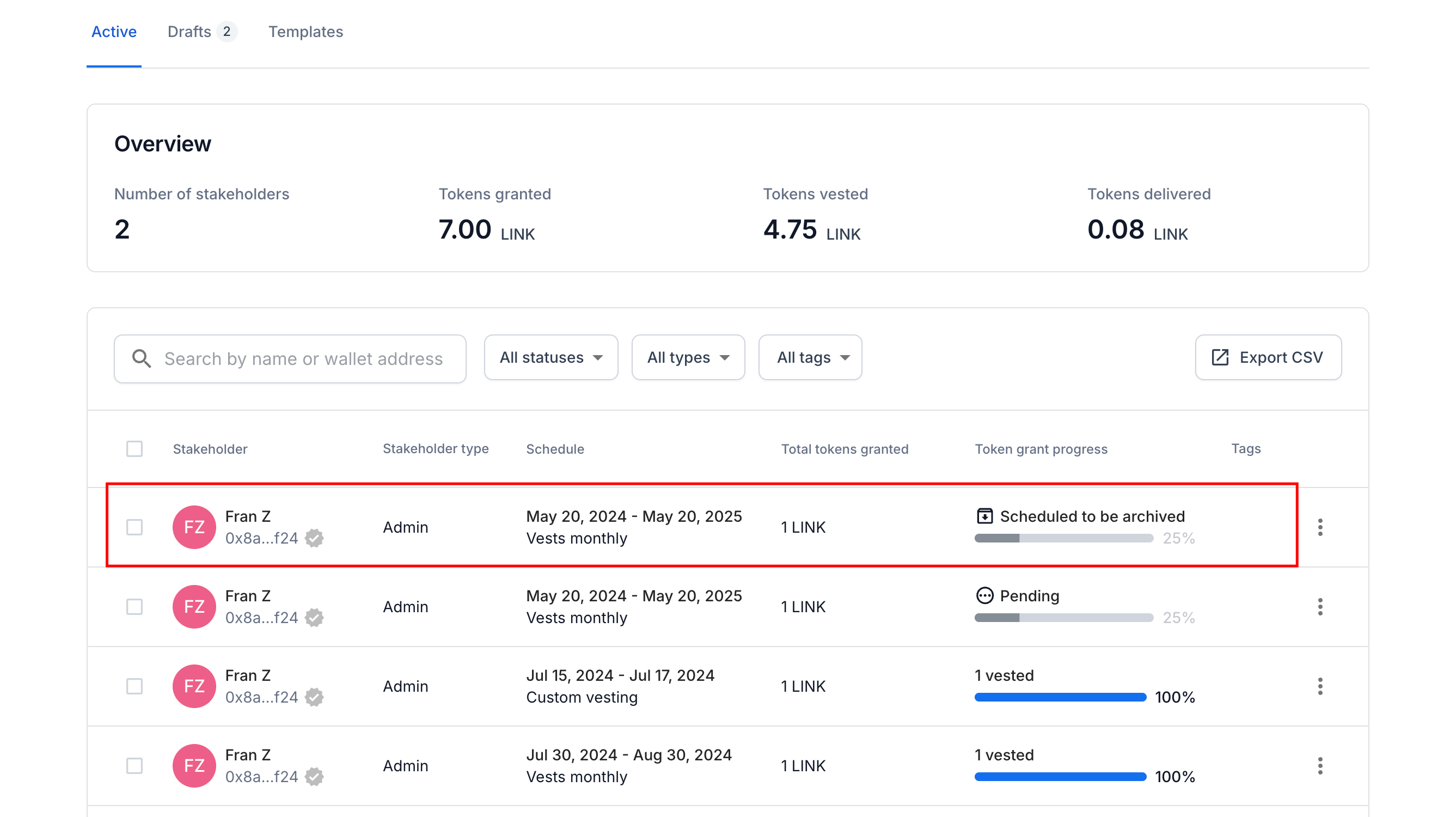
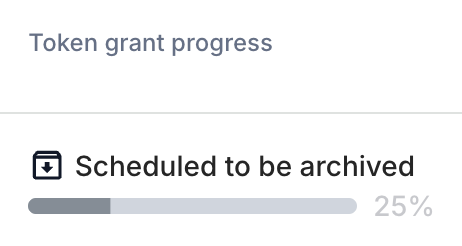
Within your token grants page, you'll see the token grant progress defined as Scheduled to be archived. The token grant's details page will show as Scheduled to be archived and will include the date of archive. The token grant's stakeholder will also see that the token grant is scheduled to be archived on the effective date.

If you need immediate assistance, please contact our support team directly at support@liquifi.finance
If you don't see what you're looking for in our support documentation, you can request a resource to be made by our support team using this form.