Unarchive a token grant
Last updated: September 26, 2024
At any point, you may need to unarchive a token grant as your stakeholders' circumstances change (e.g. termination of employee, milestones not met or a change in employee position). Here are the steps to unarchive a grant:
Navigate to the
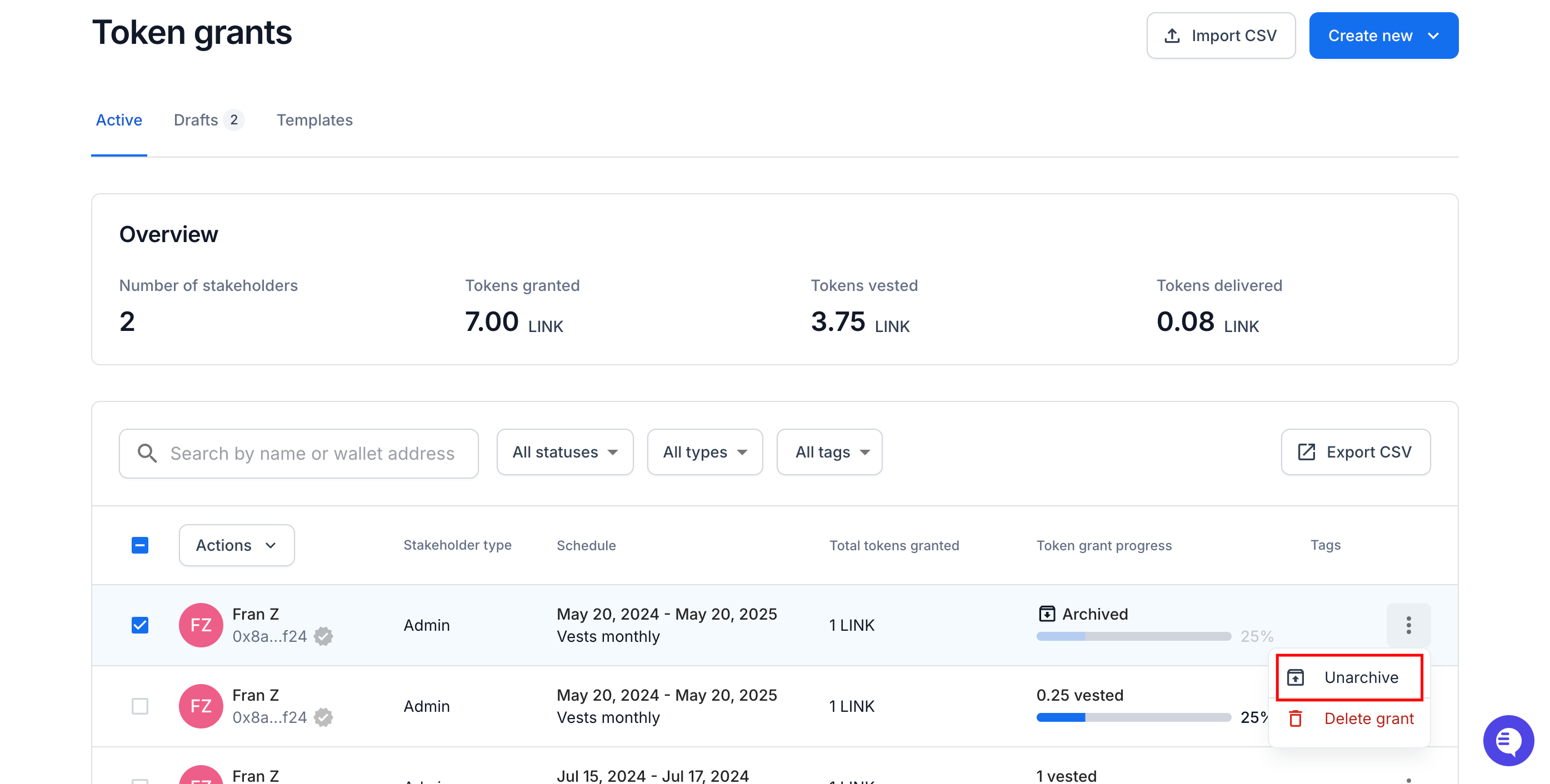
Token grantspage.Find the token grant you'd like to unarchive
Click the
...button for that token grant and selectUnarchivefrom the dropdown menu.
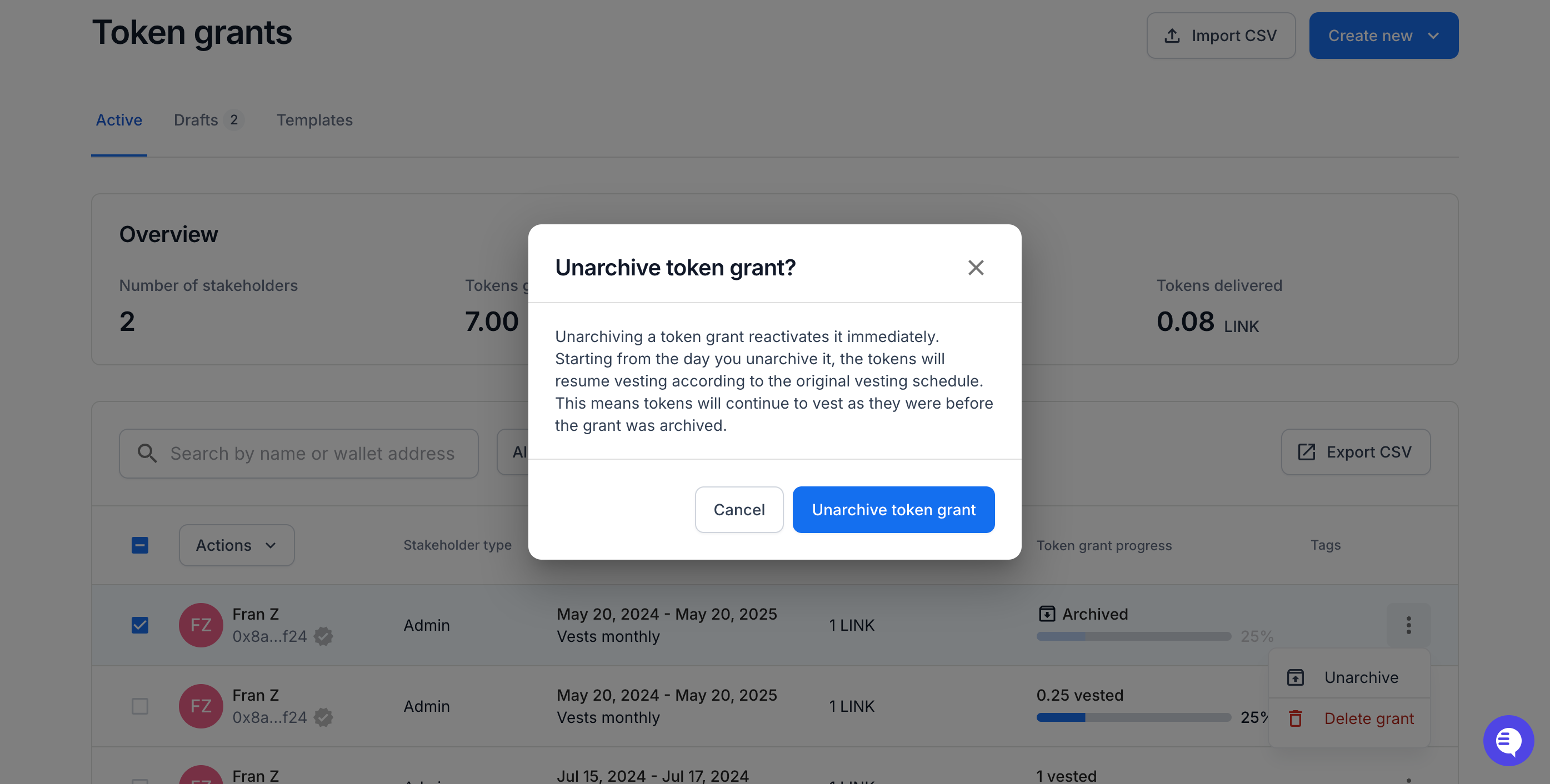
In the pop-up modal, click the
Unarchive Token Grantblue button.
Follow the on-chain confirmations in your wallet provider to finalize the unarchive.
After signing the on-chain transaction, the token grant will show its status as "Pending".
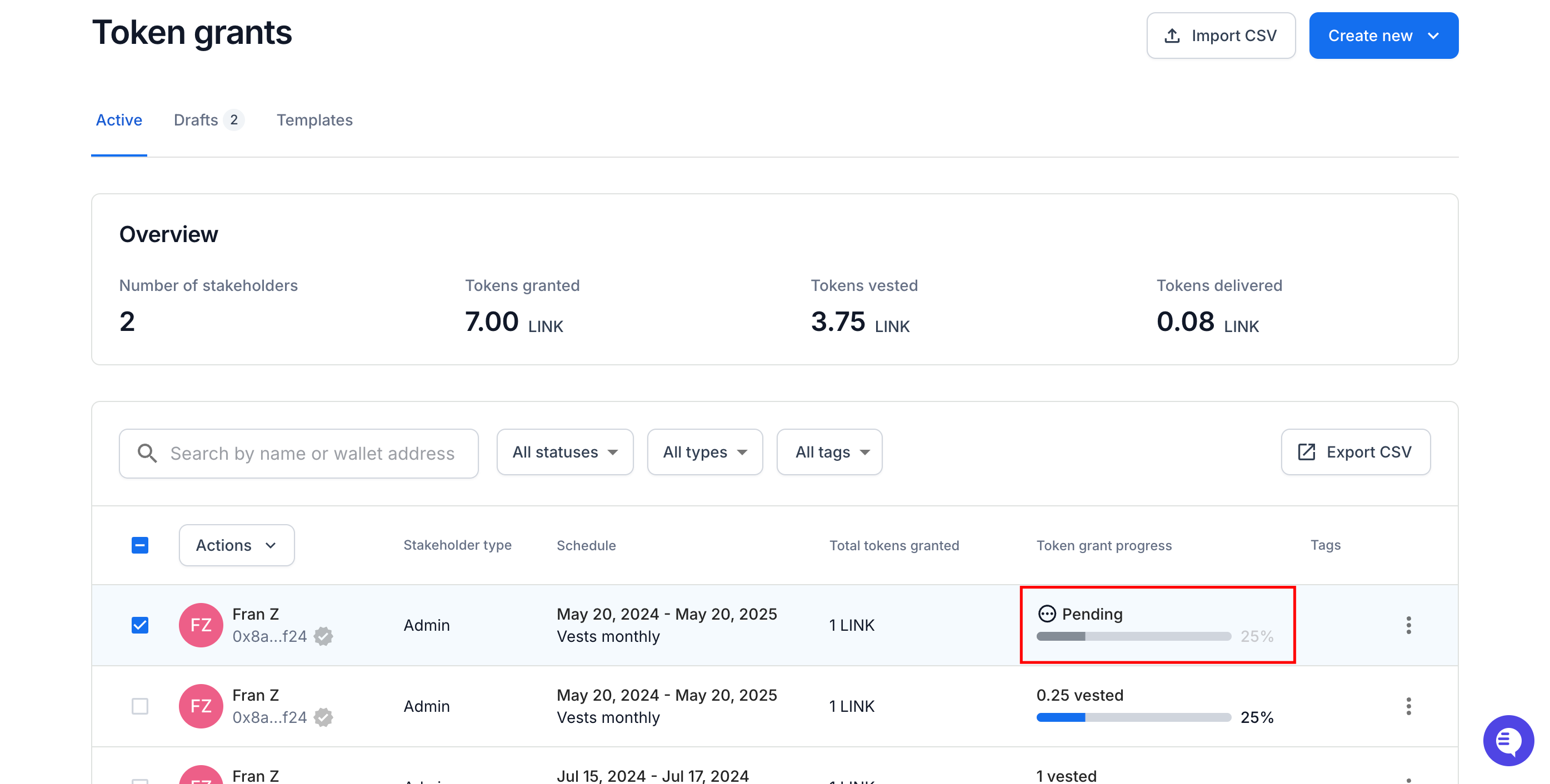
Wait a few moments for the transaction to be confirmed on-chain.
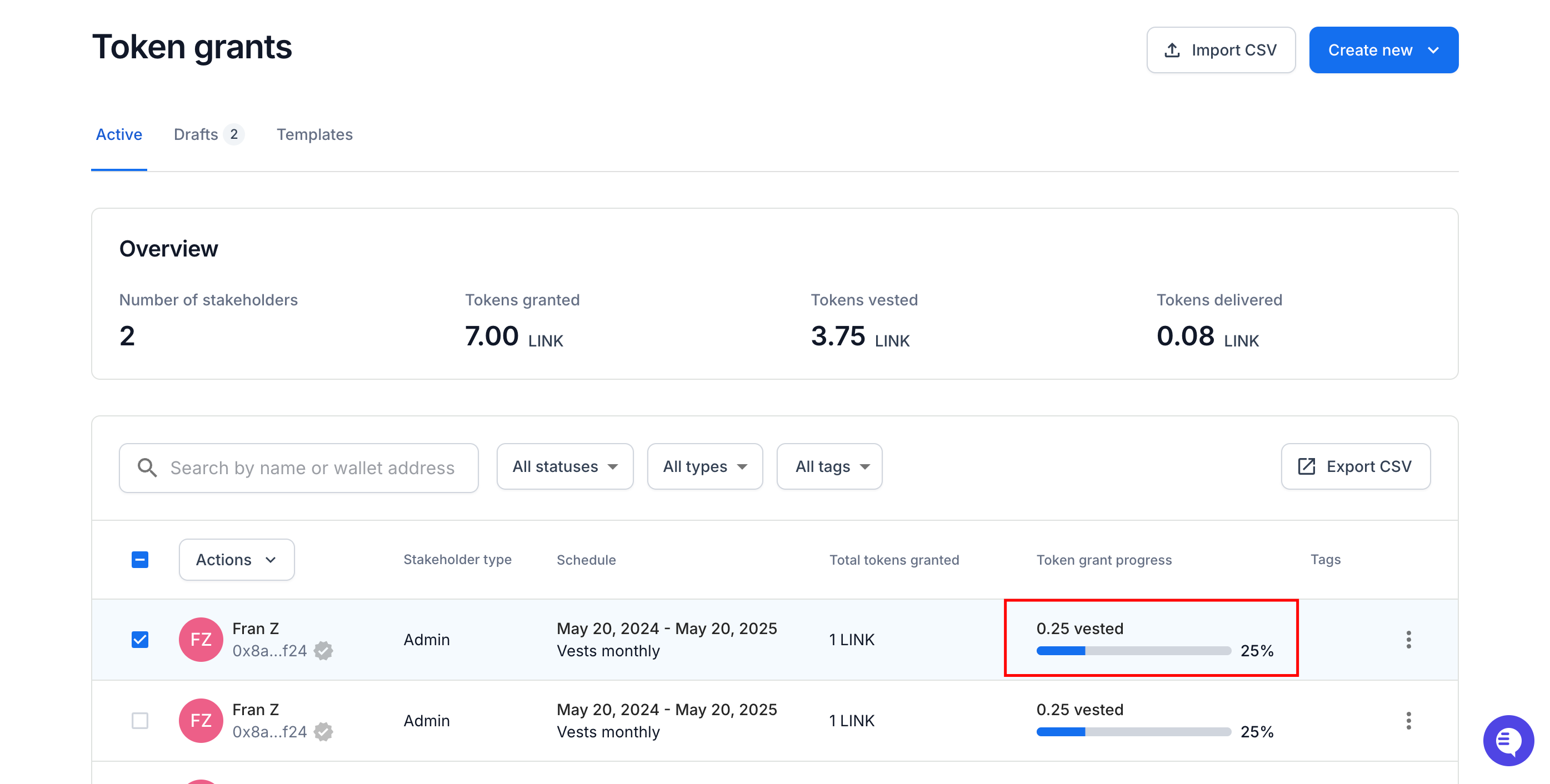
Once completed, the status will show as active with a vested token quantity amount with a blue progress bar.
If you need immediate assistance, please contact our support team directly at support@liquifi.finance
If you don't see what you're looking for in our support documentation, you can request a resource to be made by our support team using this form.