Publish a token grant
Last updated: August 29, 2024
If you haven't already created a token grant, you'll need to do so first before you can publish a token grant.
Navigate to the Drafts tab in your Token grants page.
Locate the token grant you'd like to publish and click
Publish, or clickPublish all draftsto publish all drafted token grants.
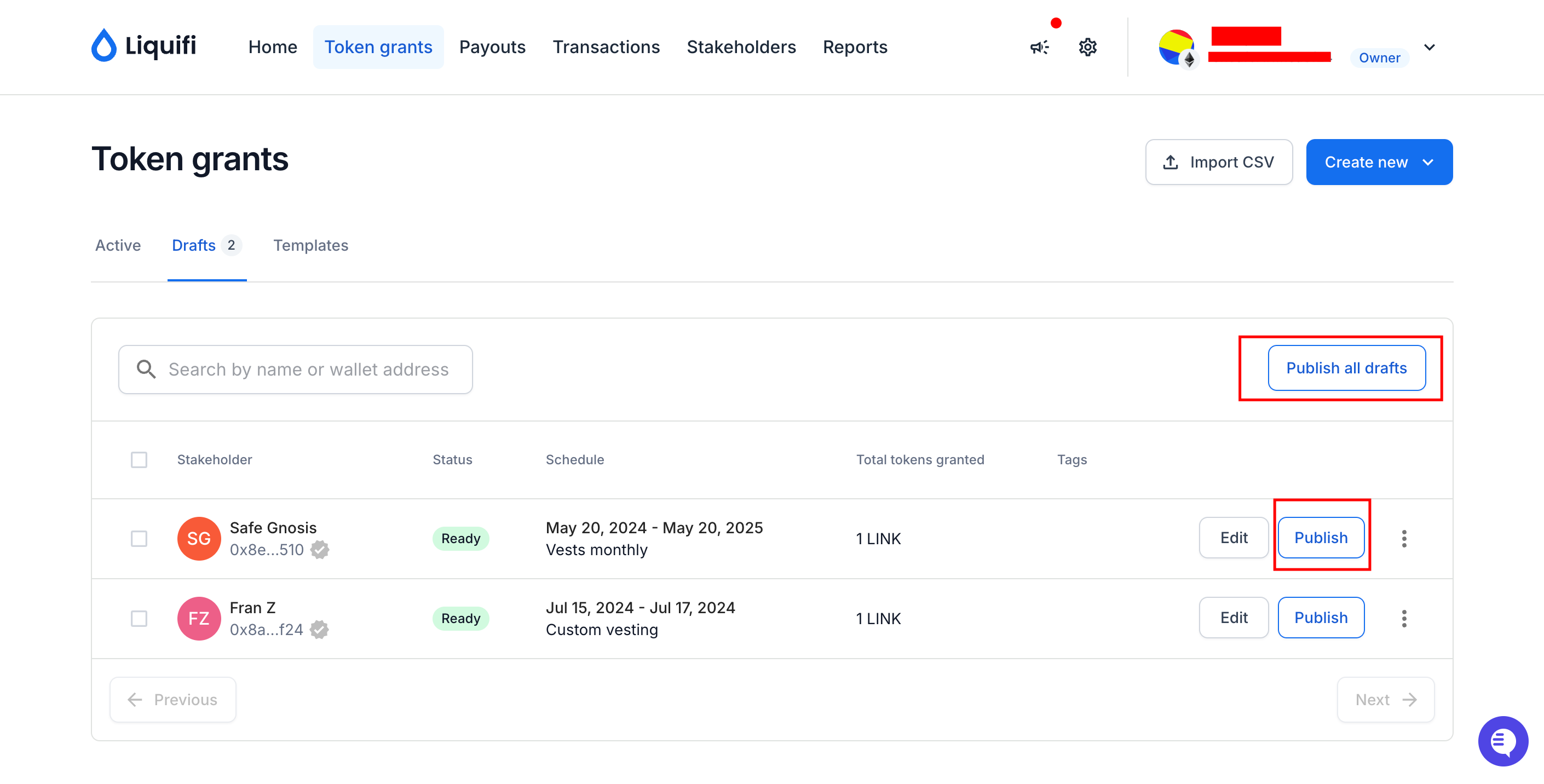
Once you publish your draft(s), sign the corresponding on-chain transaction using your wallet to initiate the publishing process.
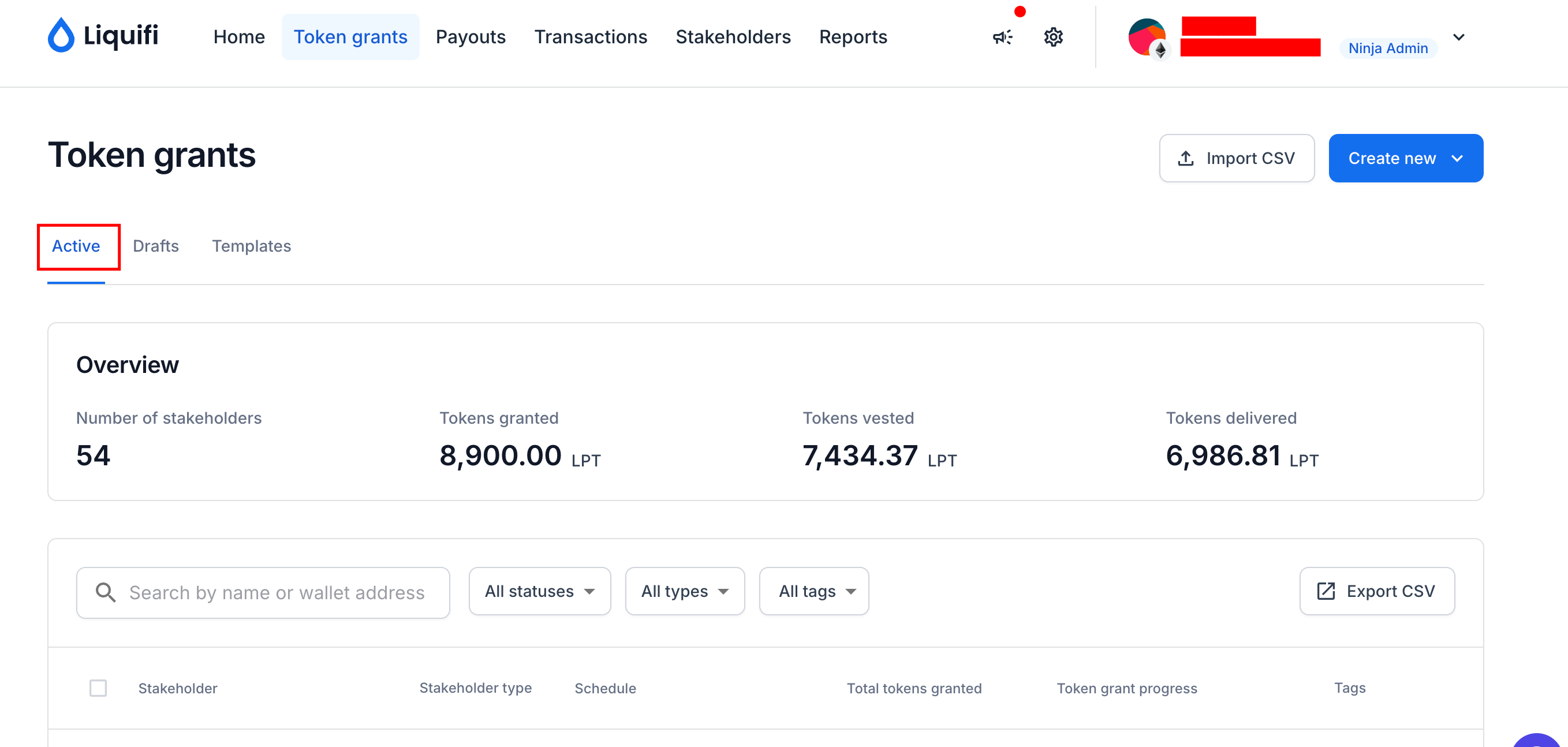
When the token grant is published, navigate to your token grants page to view the new token grant in your
Activeplans.
You can view and monitor the status of the transaction in your Transactions page.
If you need immediate assistance, please contact our support team directly at support@liquifi.finance
If you don't see what you're looking for in our support documentation, you can request a resource to be made by our support team using this form.