Add a new administrator
Last updated: October 25, 2024
Before you can add a new administrator, you will need to gather the following information about your new administrator:
- Email address
- Wallet address (must be a wallet from a wallet provider that can be used to log in to blockchain apps such as Metamask)
Log in to Liquifi
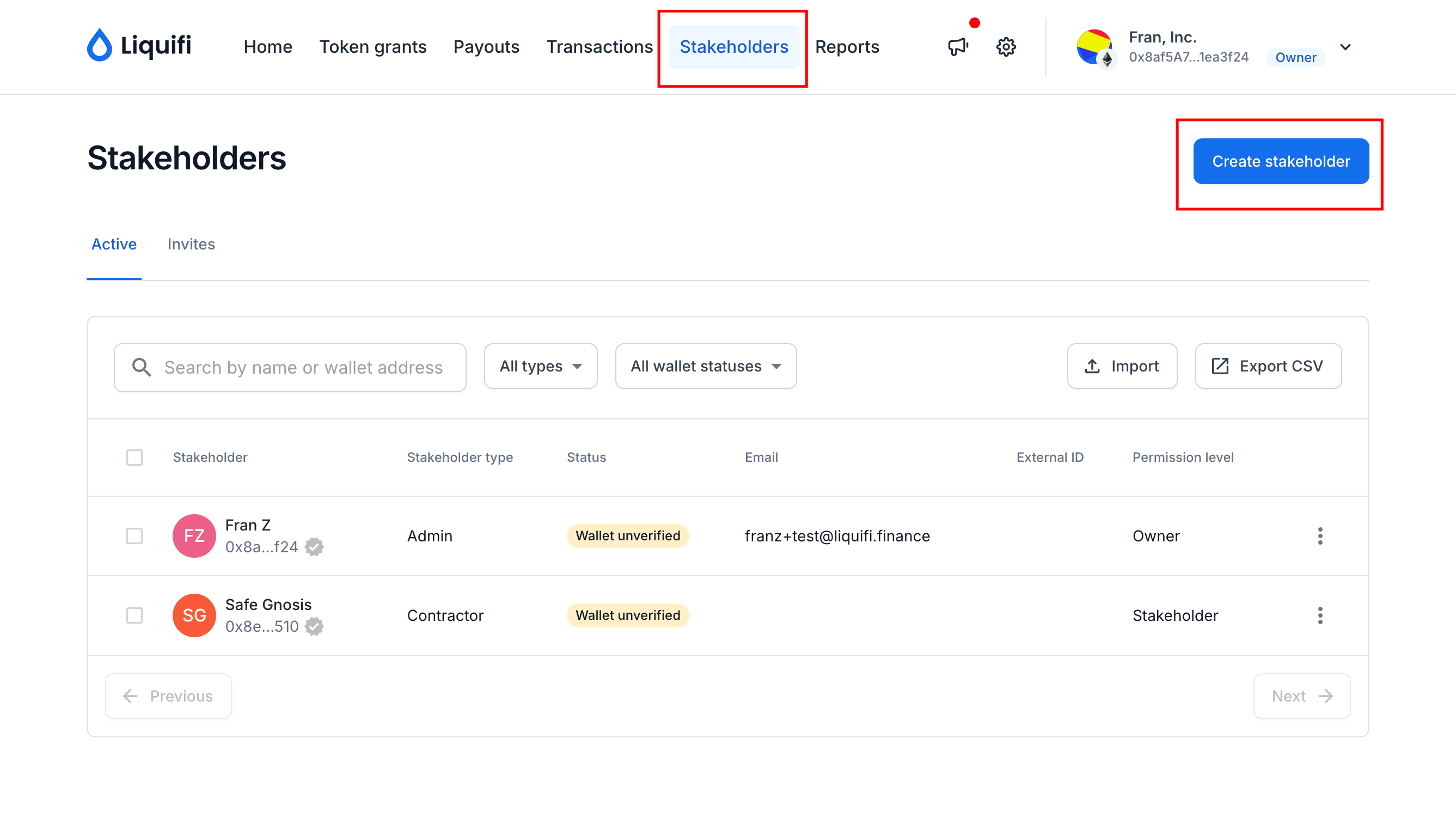
Navigate to your Stakeholders page.
Click the blue
Create stakeholderbutton.
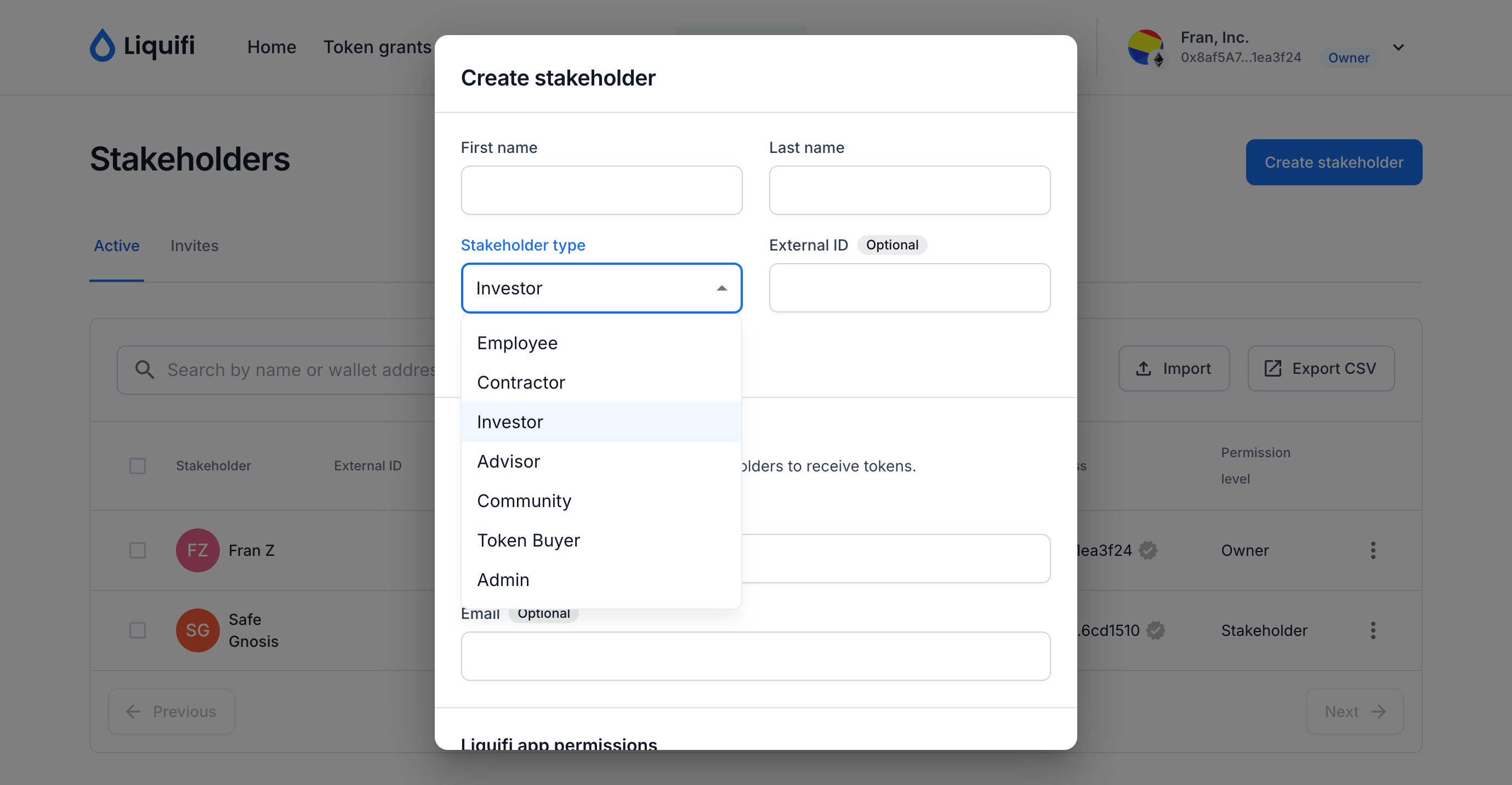
Enter the stakeholder's information in the pop-up screen and select the appropriate stakeholder type and permission level:
Click
Saveto create the new administrator.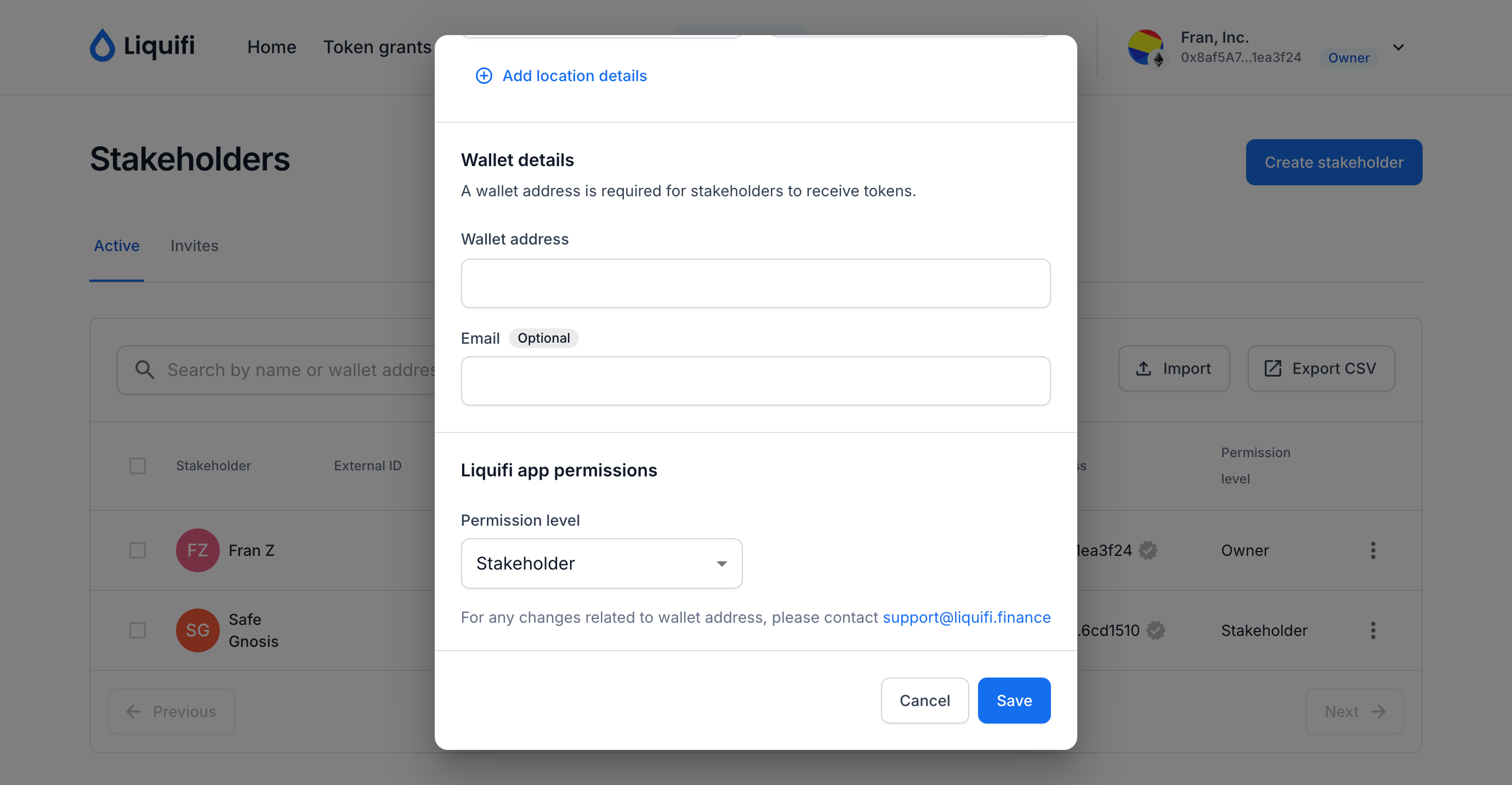
Once the new administrator is created, you should see the new administrator in your stakeholder list.
If you need immediate assistance, please contact our support team directly at support@liquifi.finance
If you don't see what you're looking for in our support documentation, you can request a resource to be made by our support team using this form.