Change a wallet address
Last updated: August 30, 2024
Navigate to your token grants.
Identify the token grant with a wallet address that needs to be changed.
Click the three dots on the far-right side of the token grant's row in the table and click
Change wallet address.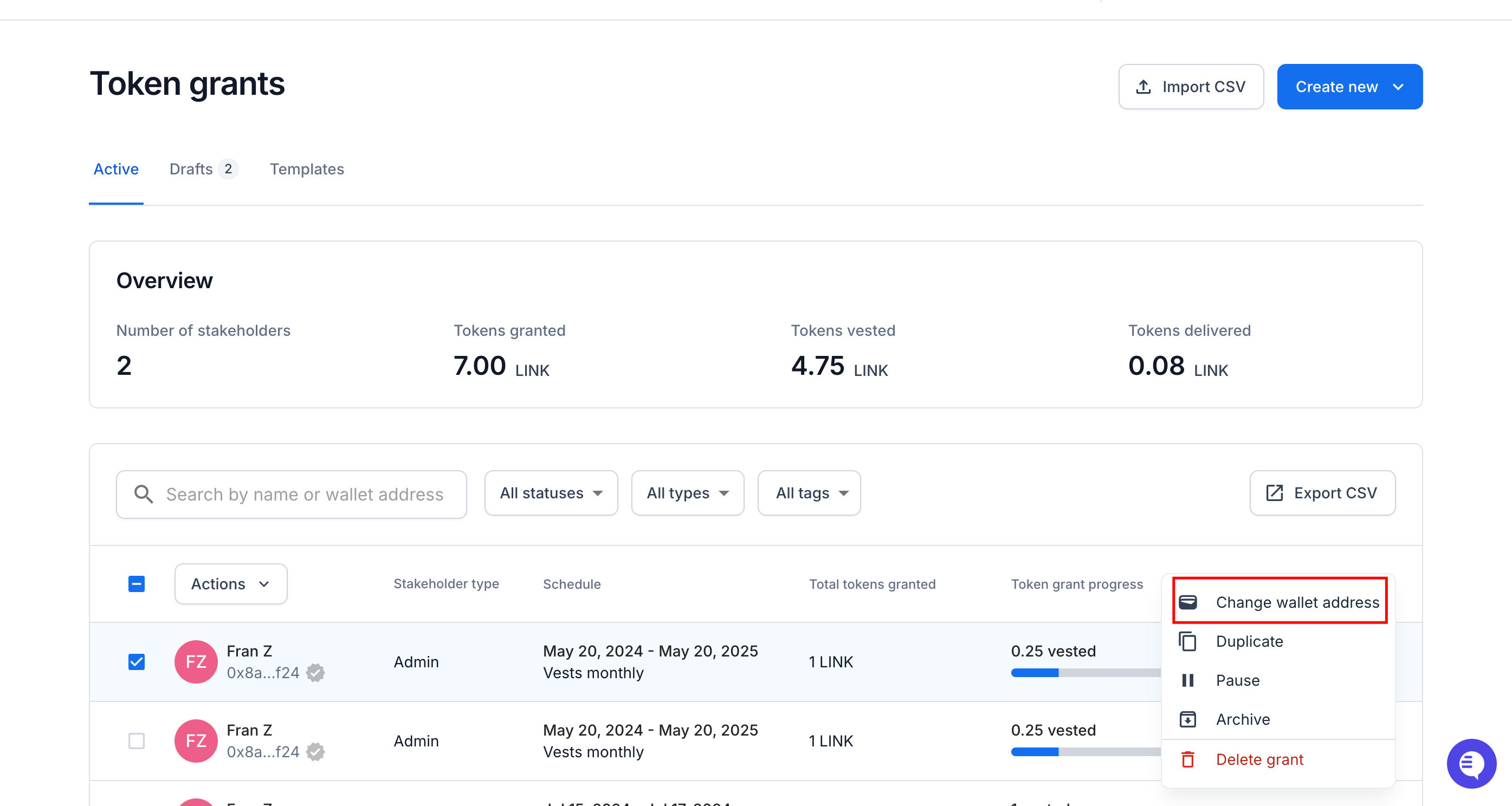
Enter the new wallet address for the token grant and click
Save.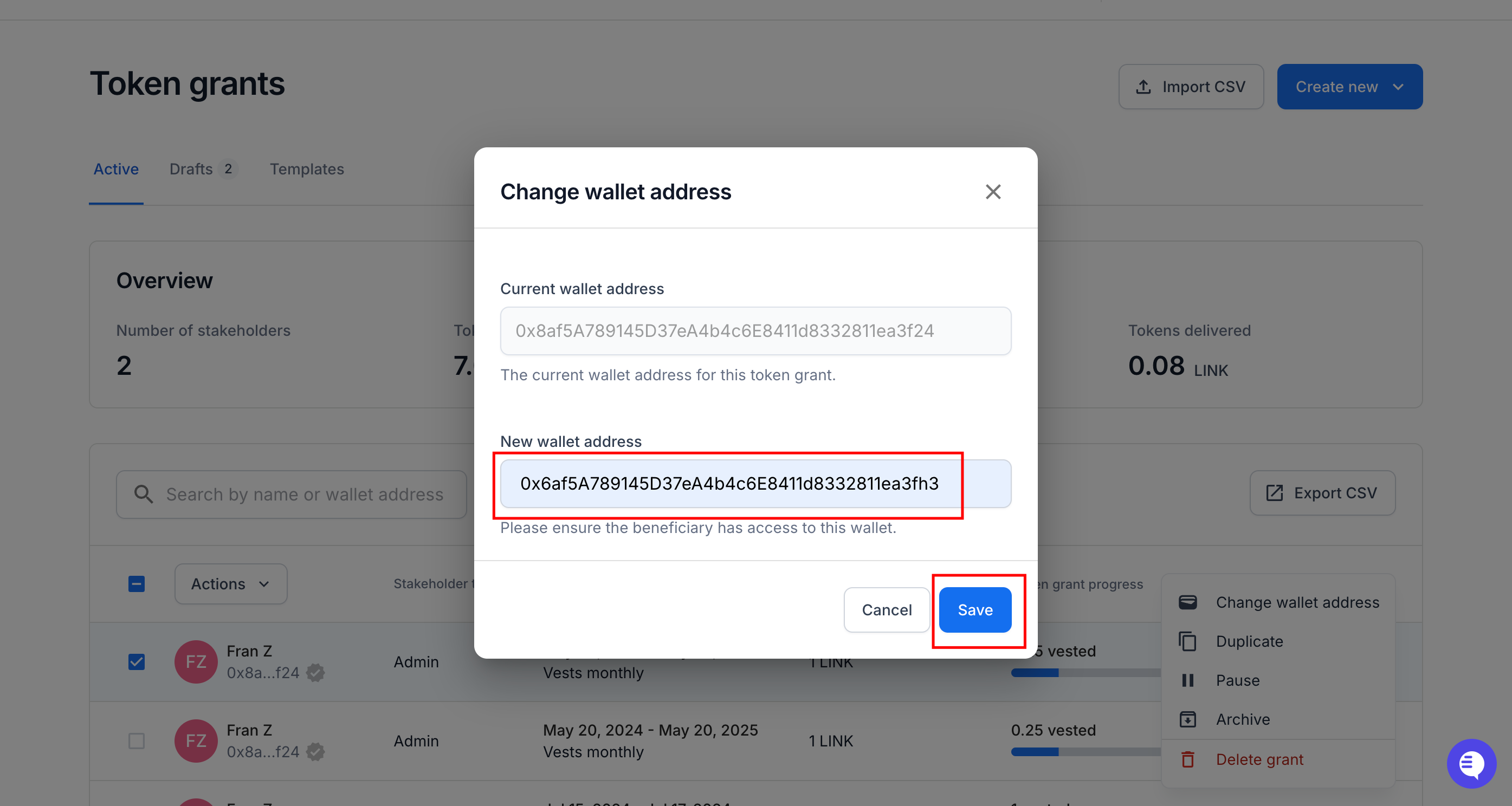
Once complete, you will see a success message within the app notifying you that the wallet address update is complete.
On-chain accounts: If your company account is on-chain using a Liquifi smart contract, you'll need to sign and execute an on-chain transaction through your wallet provider (e.g., Metamask, Rabby, etc.).
Accounts with MPC and multisig owner wallets (e.g., Gnosis/Safe, Fireblocks): If your company account's owner is a multisig or MPC wallet, you'll be prompted to propose a transaction to your multisig or MPC wallet and you'll then need to meet your signer approval quorum to finalize the wallet address change.
If you need immediate assistance, please contact our support team directly at support@liquifi.finance
If you don't see what you're looking for in our support documentation, you can request a resource to be made by our support team using this form.