Update the email address of a stakeholder with a Liquifi-generated wallet
Last updated: May 30, 2025
If you need to update an email address for a stakeholder with a Liquifi-generated wallet, take the following steps:
Create a new stakeholder profile by clicking
Create stakeholderon the stakeholders tab, select to generate a Liquifi wallet address:
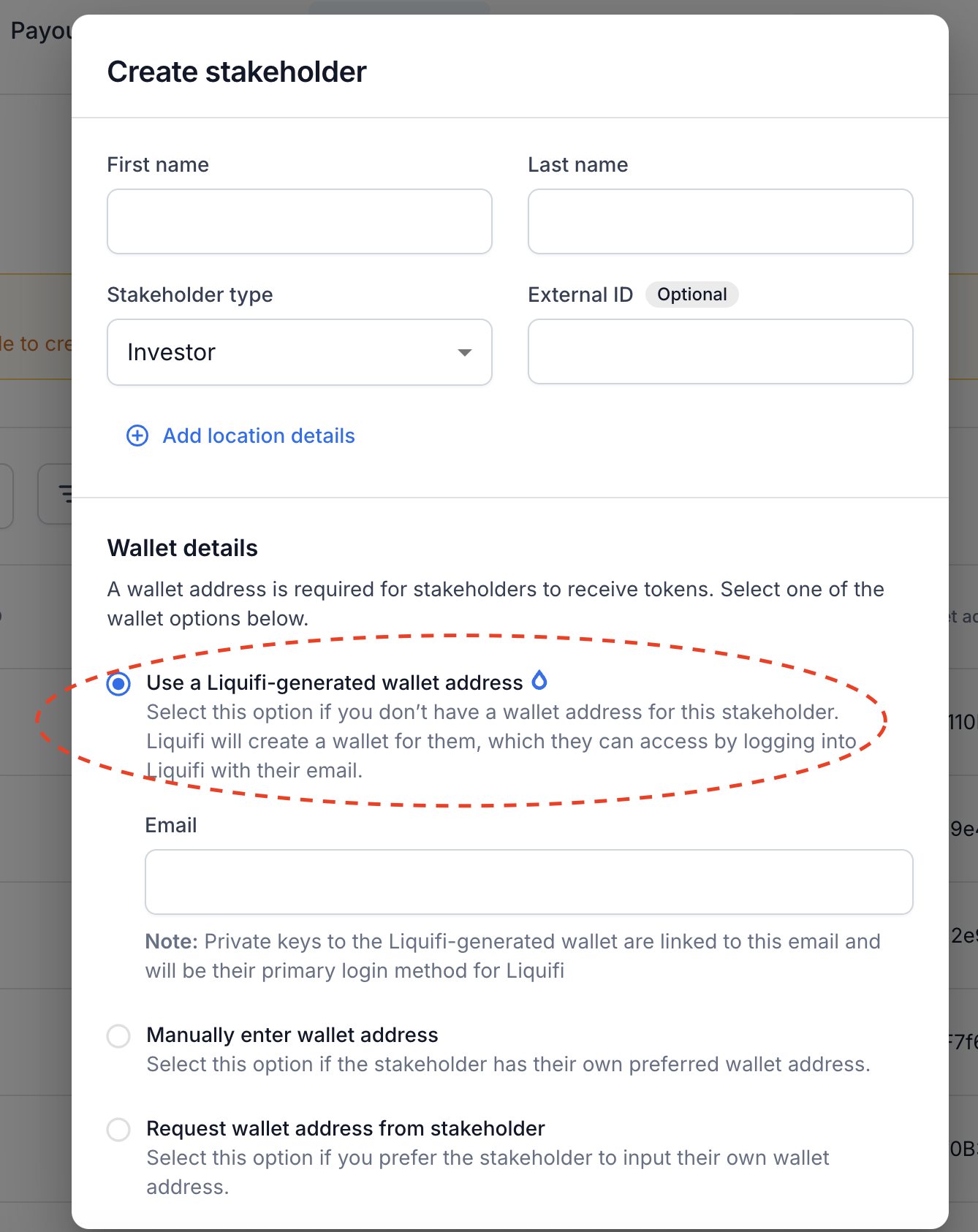
Add the new email address below
Find the active grant with the old email address on the Token grants tab
Duplicate the grant into your drafts and assign it to the new email address:
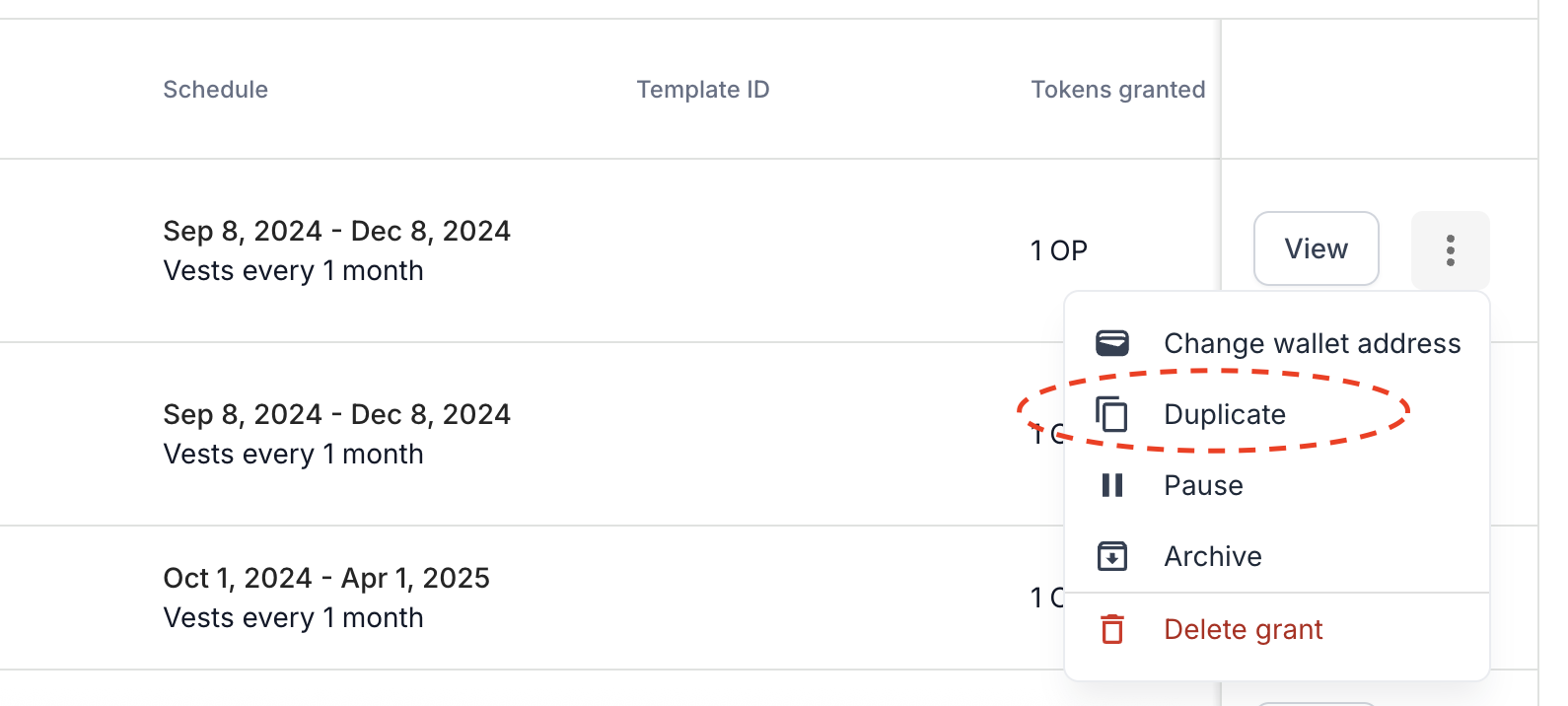
Delete the previous active grant with the old email address on the Token grants tab
Publish the draft grant with the new email address
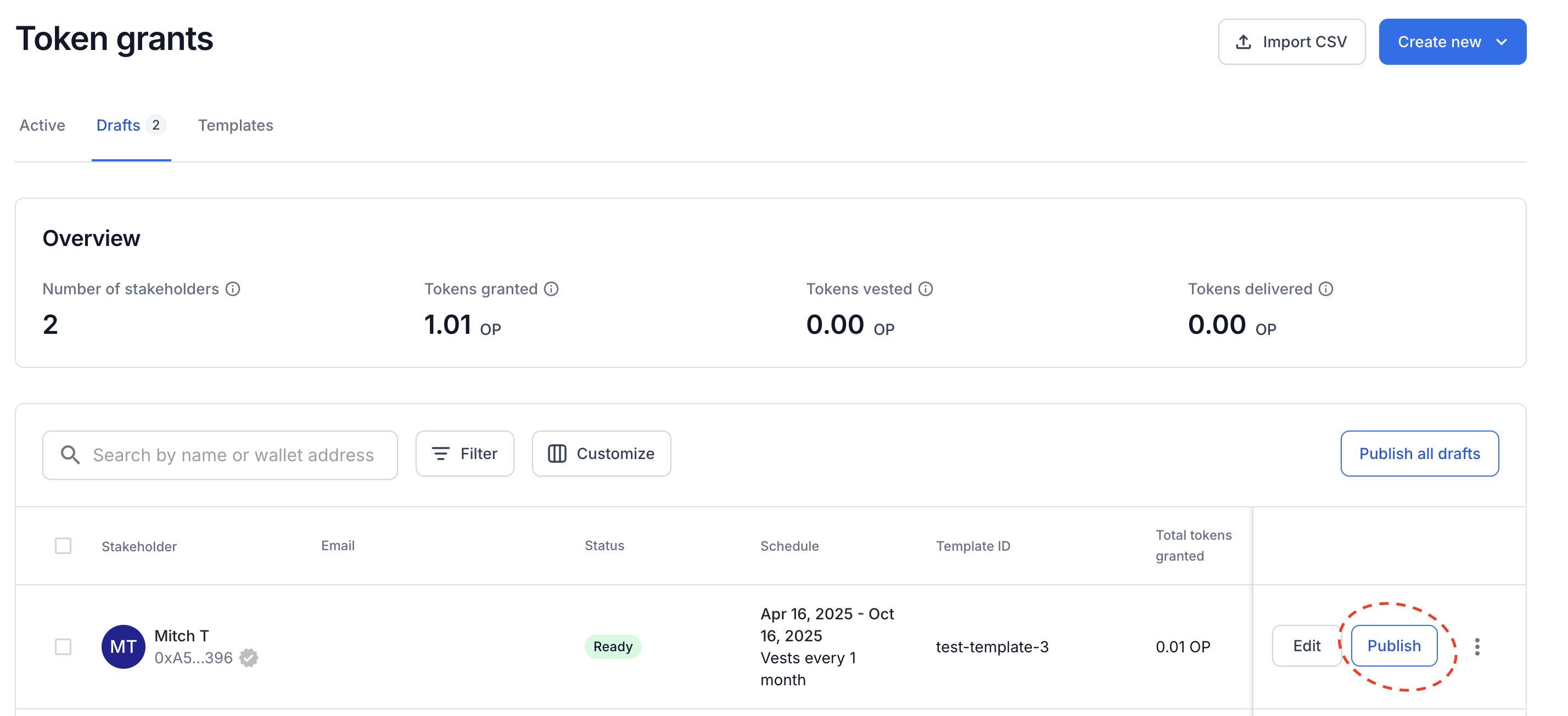
Feel free to delete the old stakeholder profile with the old email address or rename the profile, adding
oldinto the old stakeholder profile name: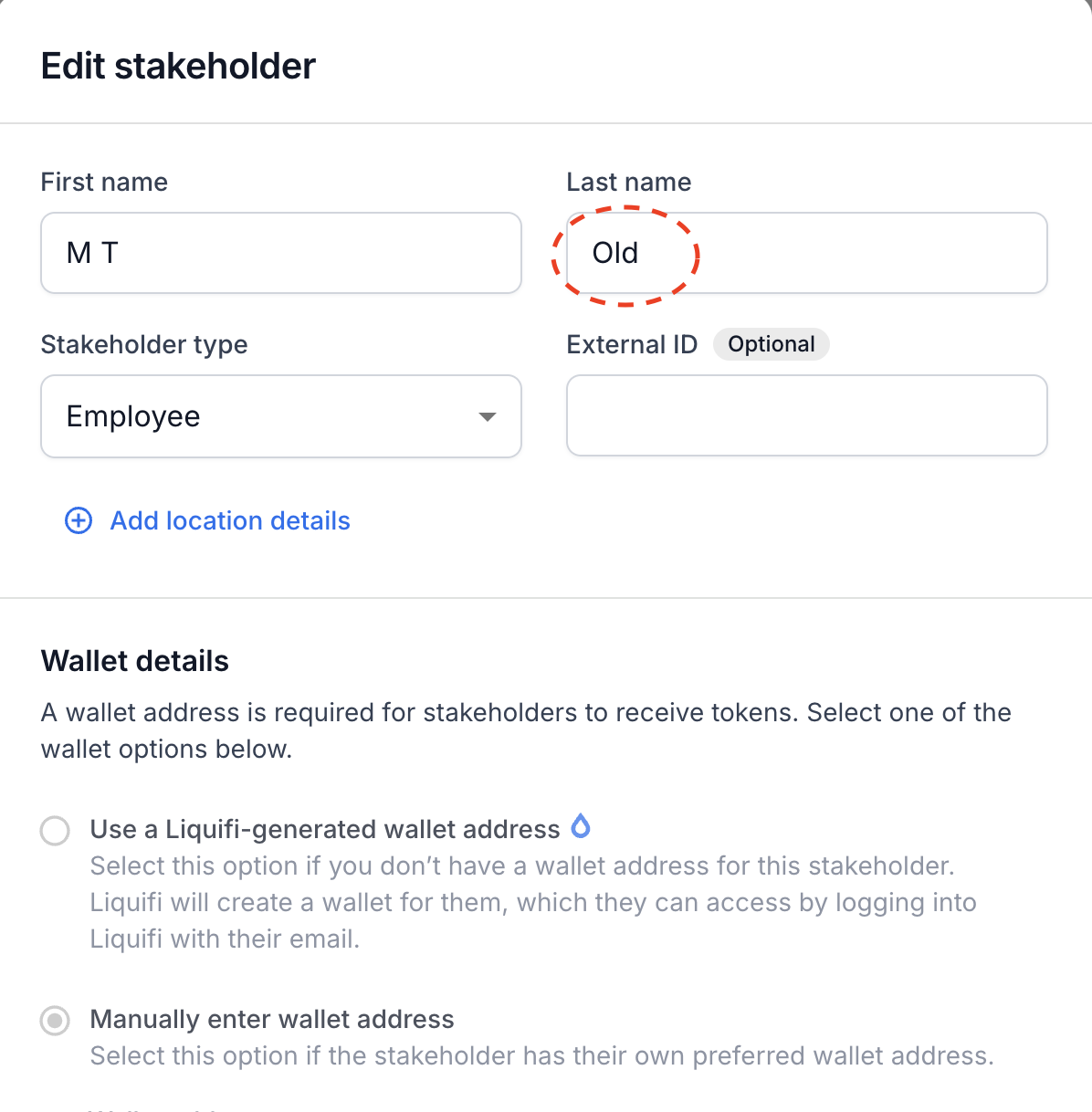
That's it - the user can log in with the new email address and see their grants.
If you need immediate assistance, please contact our support team directly at support@liquifi.finance
If you don't see what you're looking for in our support documentation, you can request a resource to be made by our support team using this form.