Manually mark a stakeholder's wallet as verified
Last updated: May 30, 2024
We strongly advise using Liquifi's test transactions flow to verify a stakeholder's wallet. Small typos or copy/paste errors in wallet addresses can lead to irreversible loss of funds that can be prevented by sending a small test transaction.
In certain cases, you may not want to use our test transaction flow to verify your stakeholder wallets. In such cases, you can take the following steps to manually mark it as verified with these steps:
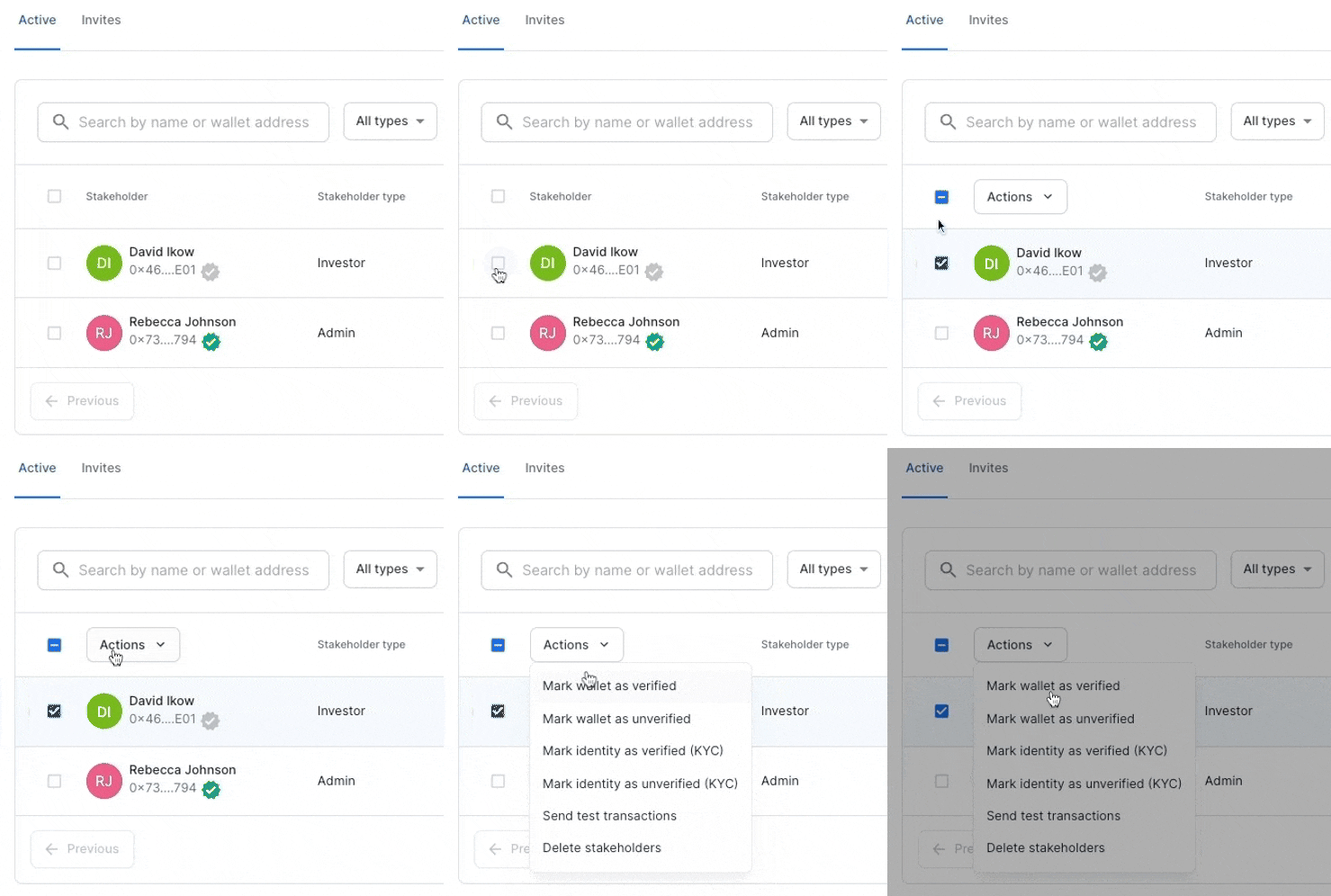
Select the stakeholder whose wallet you'd like to verify
Click
Actionsat the top of the screenChoose
Mark wallet as verified
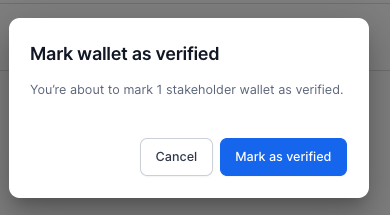
When prompted, click
Mark as verifiedin the pop-up screen
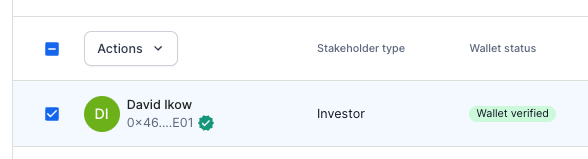
The wallet verification status should then change to
Wallet verified
If you need immediate assistance, please contact our support team directly at support@liquifi.finance
If you don't see what you're looking for in our support documentation, you can request a resource to be made by our support team using this form.