Transfer account ownership
Last updated: September 18, 2024
As part of Liquifi's smart contract security architecture, an account's ownership wallet can only be updated through a blockchain signature by the current account owner's wallet. Our team is unable to perform this action without approval by the current account owner's wallet.
For various reasons, your company may decide to change the admin wallet for your Liquifi dashboard. Here are the steps to take to complete this:
Log into Liquifi with your current owner wallet address
Withdraw all funds from the escrow
As a precautionary measure, we recommend withdrawing all funds in the escrow in case there is a typo when inputting the new owner wallet address (see below).
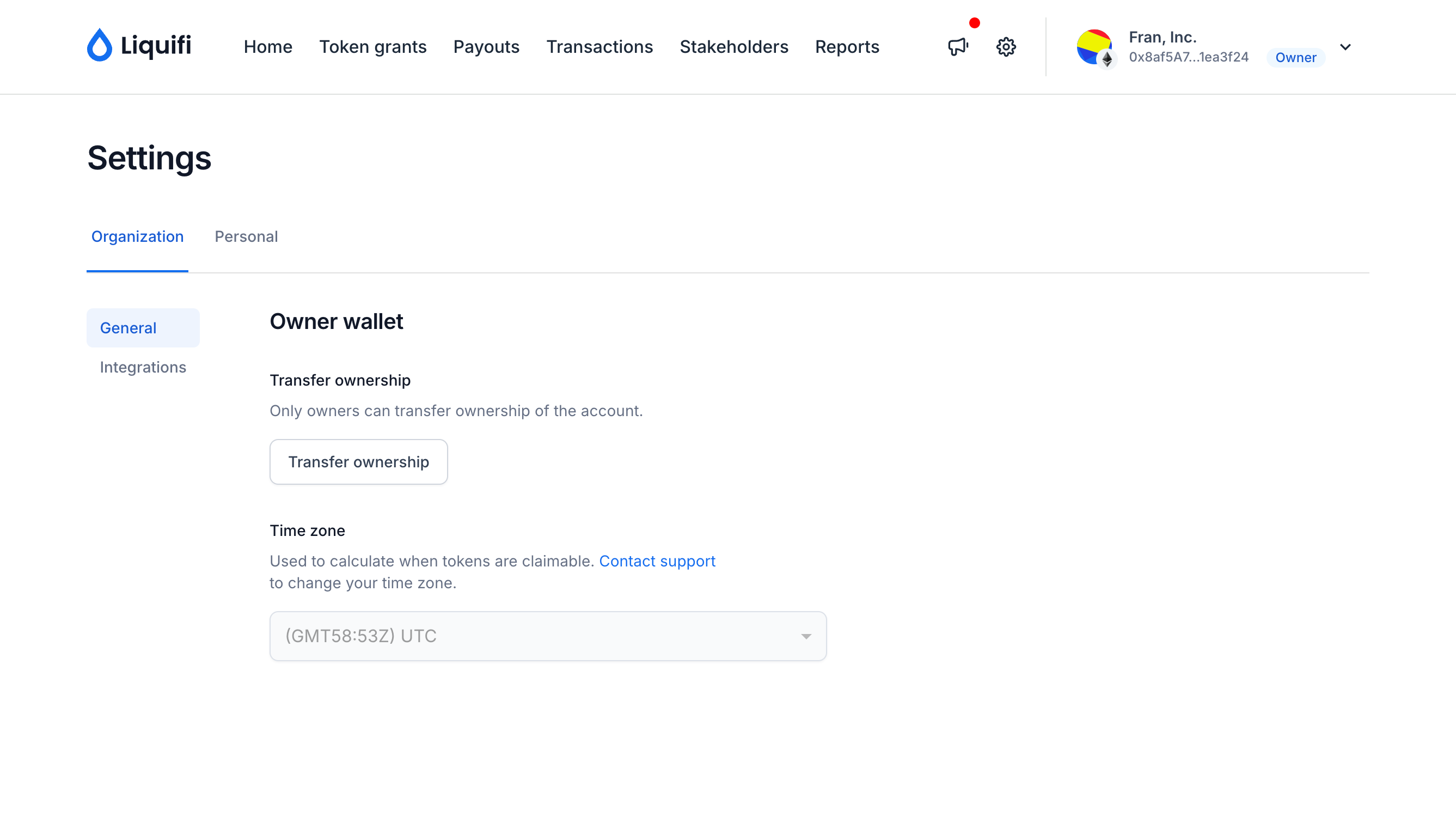
Navigate to Settings
Click the
Transfer ownershipbutton at the bottom of the list
Input your new owner address
Ensure you've verified the correct wallet address to transfer ownership. This action cannot be reversed.
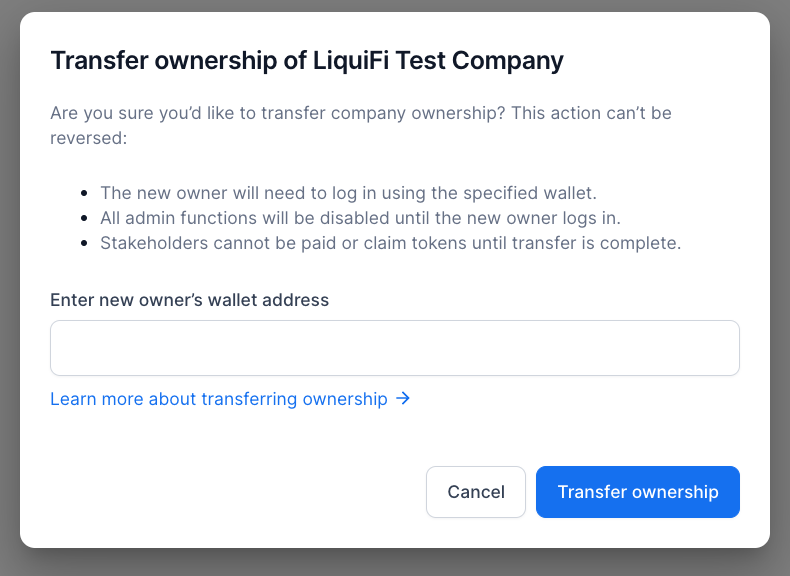
Sign the on-chain transaction and wait for the transaction to complete
Logging in with new wallet
Once ownership transfer is complete, you'll be able to log in with your new administrator wallet. If the owner wallet belongs to another person, be sure to notify the new administrator that they now have administrator access in Liquifi.
If you need immediate assistance, please contact our support team directly at support@liquifi.finance
If you don't see what you're looking for in our support documentation, you can request a resource to be made by our support team using this form.